Elasticsearch 9.5 snapshots with Versity S3 and E-Series
Introduction
Barely a day after I discovered BeeGFS can serve as shared POSIX target for Elasticsearch 9 snapshots, Versity v1.9.0 came out.
I had Elasticsearch 9 still running, so…
Workflow
You don't have to do anything special.
My setup was:
- Bare metal server with Versity Gateway v1.9.0 (you can also use Docker, Kubernetes, VMs - see my blog for all of these examples)
- E-Series block storage (of course, any will do, but I know I get a few GB/s this way)
- Elasticsearch 9.5.5
I used HTTP because I didn't want to waste time on setting up TLS. A bucket was created for ES and after configuring the credentials and so on, I created another repository (S3, this time) for Elasticsearch snapshots and validation passed.
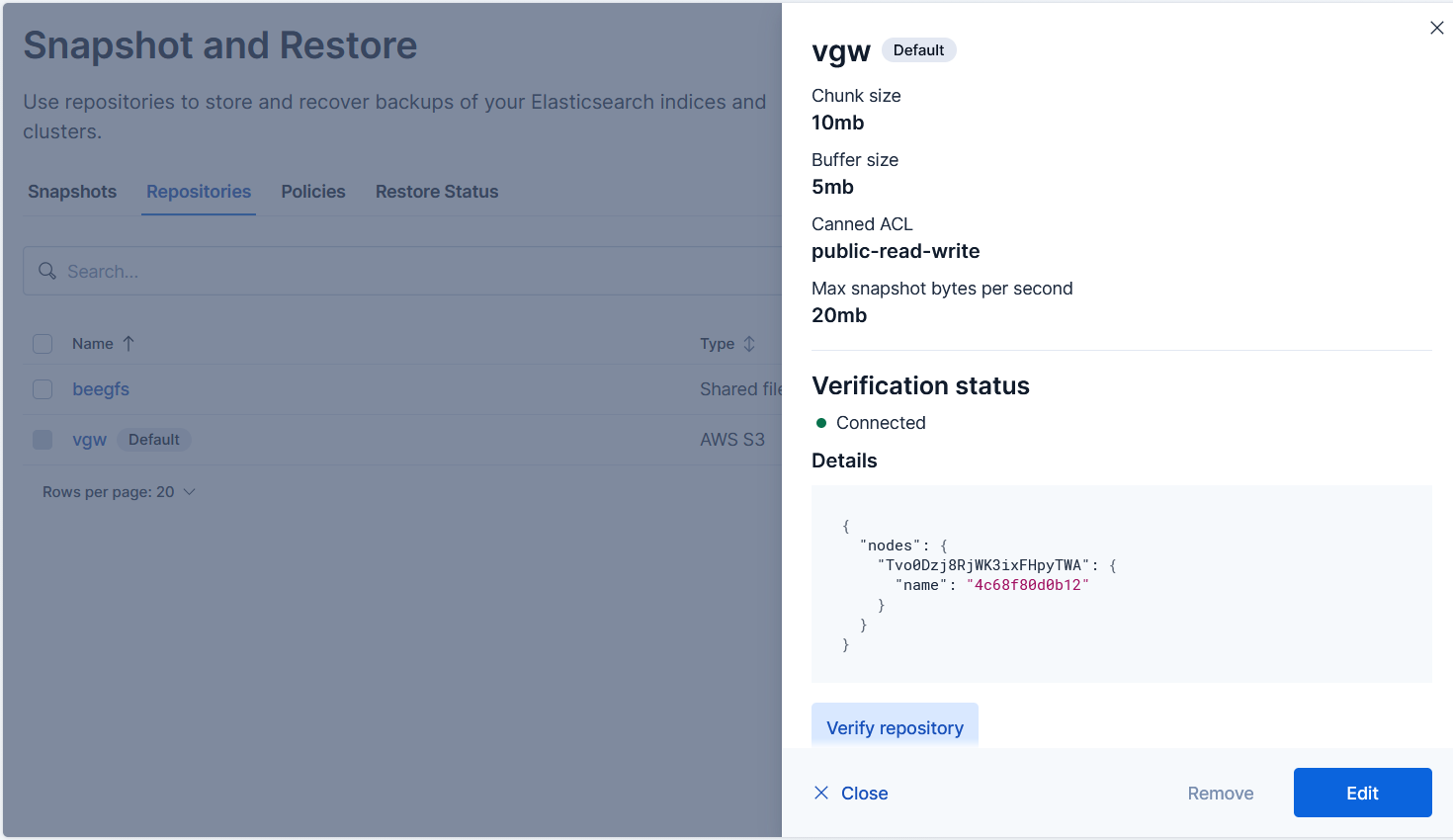
I set some limits in order to not overwhelm the server, although that wasn't necessary (I knew from the BeeGFS tests total backup size was going to be no more than 0.5 GB).
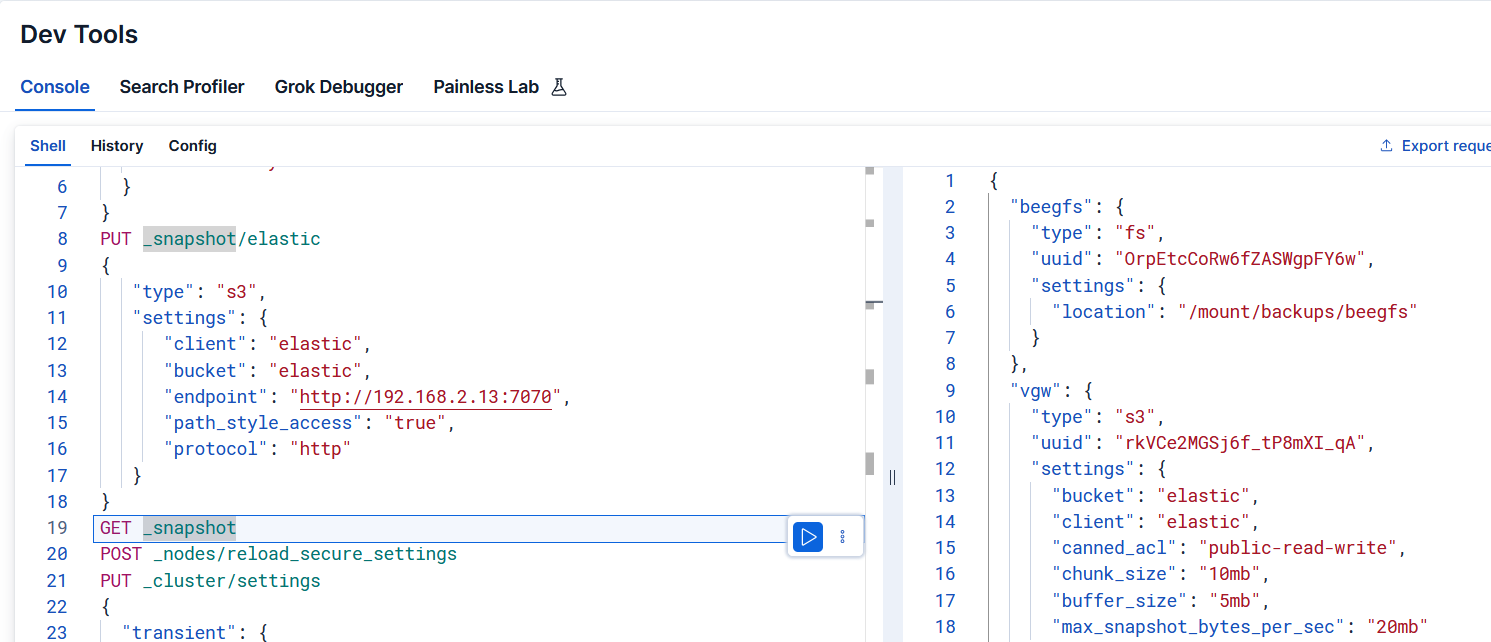
Versity can go a lot faster. This was my initial setup, which I'd gradually increase to find the highest reliable speed.
{
  "vgw": {
    "type": "s3",
    "uuid": "rkVCe2MGSj6f_tP8mXI_qA",
    "settings": {
      "bucket": "elastic",
      "client": "elastic",
      "canned_acl": "public-read-write",
      "chunk_size": "10mb",
      "buffer_size": "5mb",
      "max_snapshot_bytes_per_sec": "20mb"
    }
  }
}
A snapshot was taken without issues:
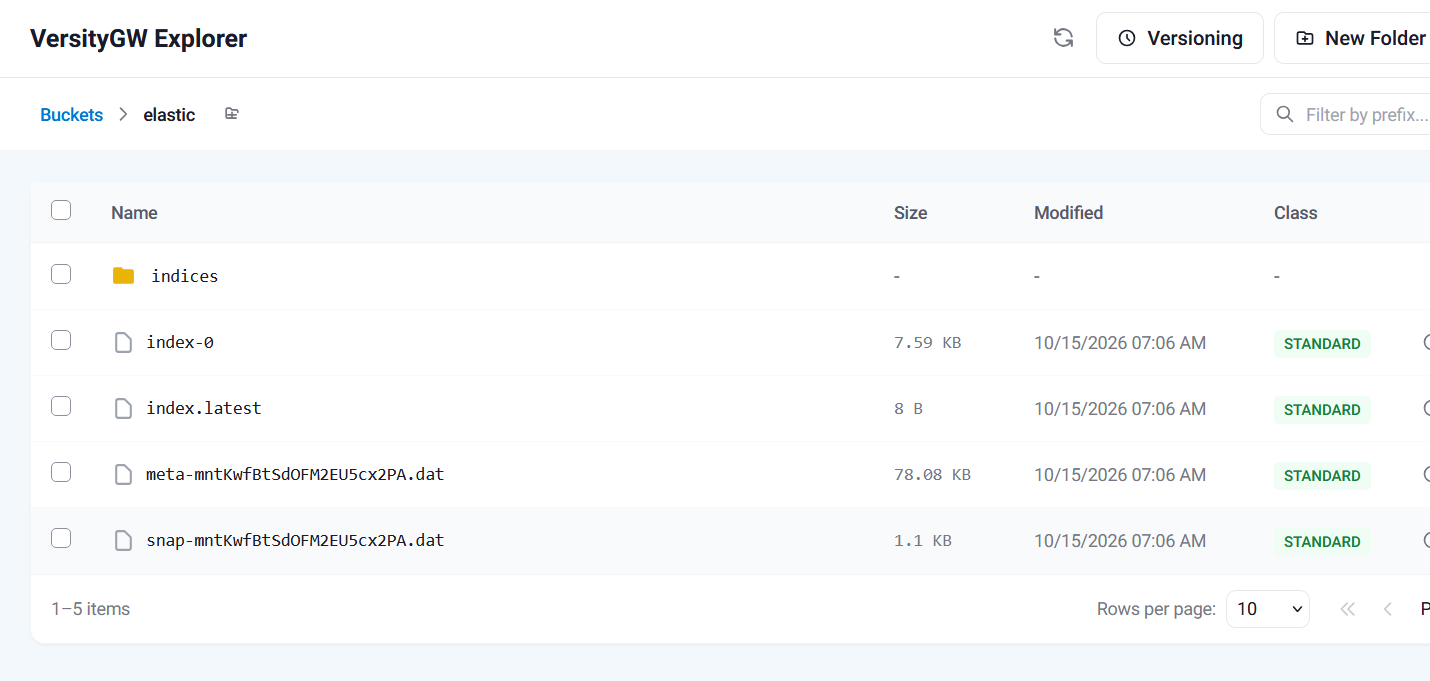
Filesystem showed around 400MB.
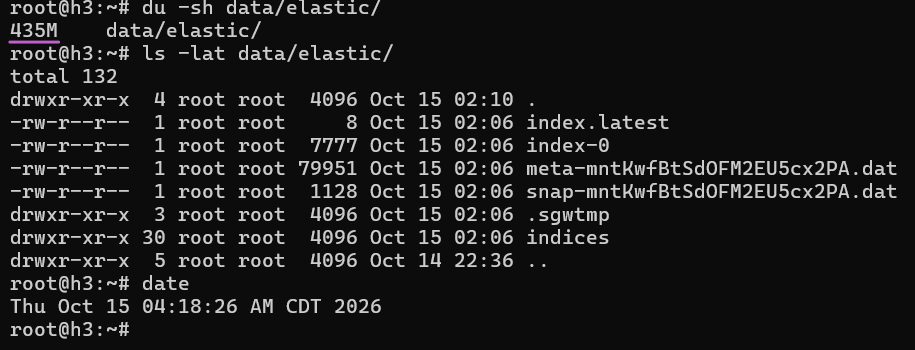
For a comparison, yesterday's snapshot (2, actually, but the second was tiny) plus some ES stack config files, to BeeGFS:
$ du -sh /mnt/beeond/elasticsearch/elastic-start-local/
434M    /mnt/beeond/elasticsearch/elastic-start-local/
I also tested restore from that Versity S3 Gateway snapshot. I deleted the index (see Appendix A) and restored it. No issues and very quick!
Conclusion
I tested just one Elasticsearch node, but since S3 repository validation passed, I assume it would work the same way with several.
Obviously, you can't get nowhere near the BeeGFS performance using a single-host S3 gateway, but this seems good for small clusters up to 300-500 TB. I know 3 GB/s is possible, so 300 TB would land in 1.15 days - not even a full weekend. And it costs $0, although commercial users should consider buying support from Versity.
You could even "scale out":
| VGW Instance | E/EF Volume | E/EF R6 Disk Group |
|---|---|---|
| 1 | 01, 02, 03, 04 | DG1, DG2, DG3, DG4 |
| 2 | 05, 06, 07, 08 | DG1, DG2, DG3, DG4 |
| 3 | 09, 10, 11, 12 | DG1, DG2, DG3, DG4 |
| 4 | 13, 14, 15, 16 | DG1, DG2, DG3, DG4 |
In other words, MD RAID 0 across 2 or 4 RAID 6 LUNs. Then create 4 S3 repos in Elasticsearch. Downsides: you have to allocate and balance who uses which, and resize/grow a software RAID. But if you have "just" 200-300 TB, you probably don't have a lot of them anyway. If you have just one super-large index, you'd probably want to use one VGW instance for it and maybe a separate small VGW instance/disk for "system" type snapshots.
Note that VGW can scale-out on BeeGFS (it's stateless), but that's a separate matter. If you have BeeGFS, it's probably better to snapshot to BeeGFS rather than play games with the hyper-sensitive Elasticsearch 9…
Appendix A: Video demo
The demo shows ES and VGW, both snapshot and restore (I didn't try to restore BeeGFS, assuming it'd work).
The demo shows both the early and final VGW settings in Dev Console. The JSON file above is the final version used to snapshot/restore.