Dump Elasticsearch 9.5 snapshots to shared NetApp filesystem
Introduction
In my opinion, S3 is the only valid choice for Elasticsearch snapshot destination.
Some users of on-premises Elasticsearch prefer to use a shared filesystem. Maybe they think the cost is lower (it's likely not), or don't want to have on-premises S3 (that's fine, but there's no other place big data should go and by delaying they just increase technical debt in their infrastructure).
Do you think Elasticsearch serverless or AWS OpenSearch serverless use shared POSIX storage? Or could they be doing something that Splunk SmartStore does on-premises and in the cloud?
In 2023, I blogged about taking Elasticsearch 8snapshots to StorageGRID. This post is for the POSIX hold-outs: Elasticsearch 9 supports taking snapshots to a shared POSIX filesystem, so here's how I'd do it if I had to use a shared POSIX filesystem.
Workflow
- Configure shared filesystem in all Elasticsearch instances in the cluster and do a rolling restart
- Verify compatibility - this is so that you don't use an unsupported configuration
- Snapshot and check
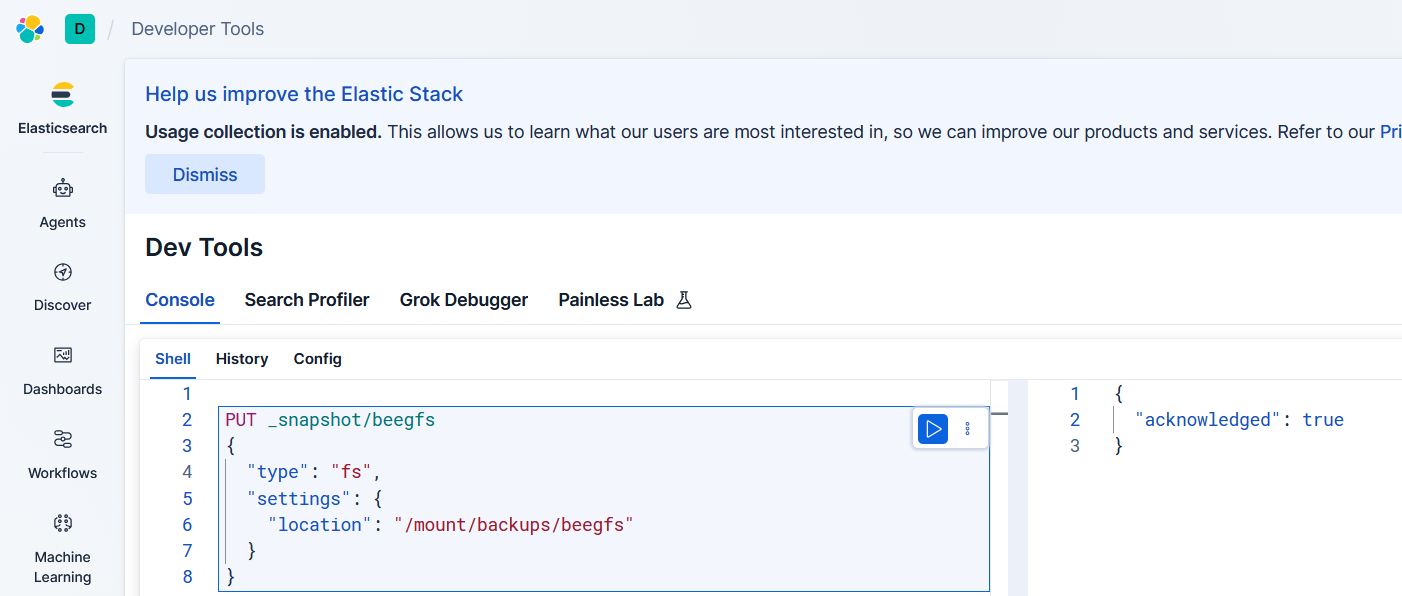
Add BeeGFS mount point to Docker Compose (or edit Elasticsearch configuration YAML for VMbare metal) and restart.
To configure:
Check the containers to make sure the shared BeeGFS filesystem is mounted and accessible:
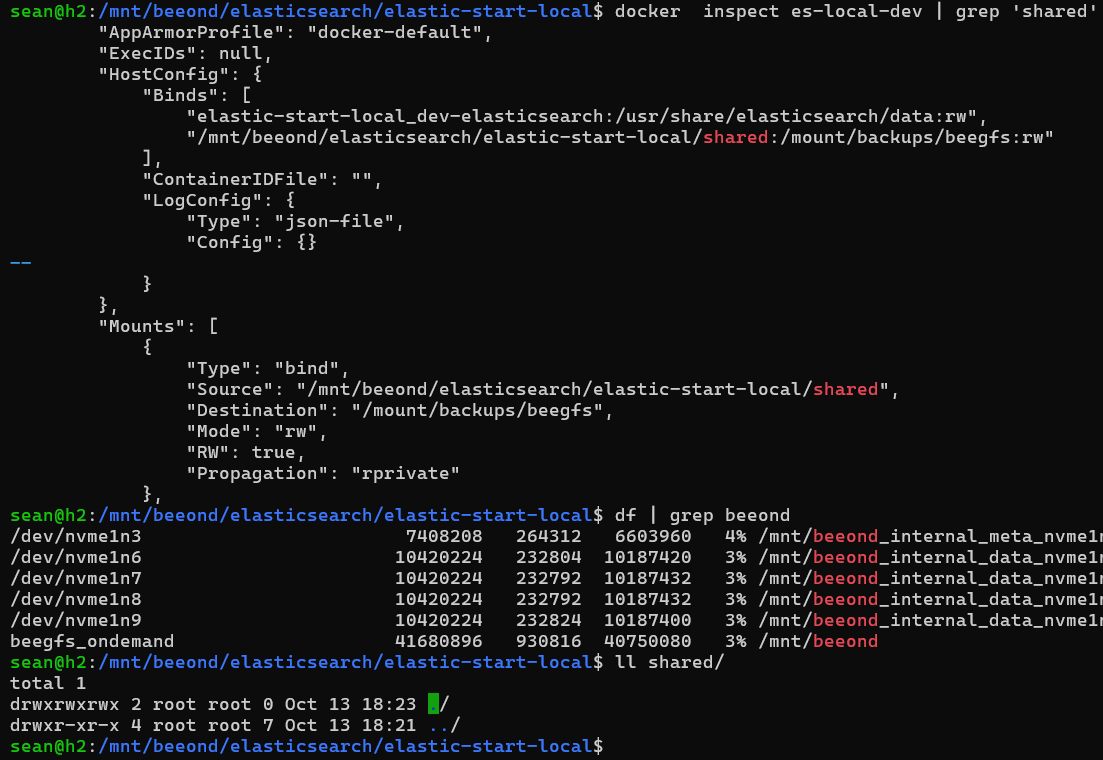
Notice that, in the screenshot above, Elasticsearch Docker Compose is also on BeeGFS. But the images and main volumes are in the usual Docker store. Only the shared filesystem path (for snapshots) is on BeeGFS (BeeOND).
BeeOND is used because it's easier to set up (I have a nice little script that takes 30 seconds to stand it up), but normally you'd use the non-BeeOND BeeGFS. Functionally they're the same.
Verify shared filesystem:
Configure with _snapshot/<target>:
PUT _snapshot/beegfs
{
  "type": "fs",
  "settings": {
    "location": "/mount/backups/beegfs"
  }
}
Response:
{
  "acknowledged": true
}
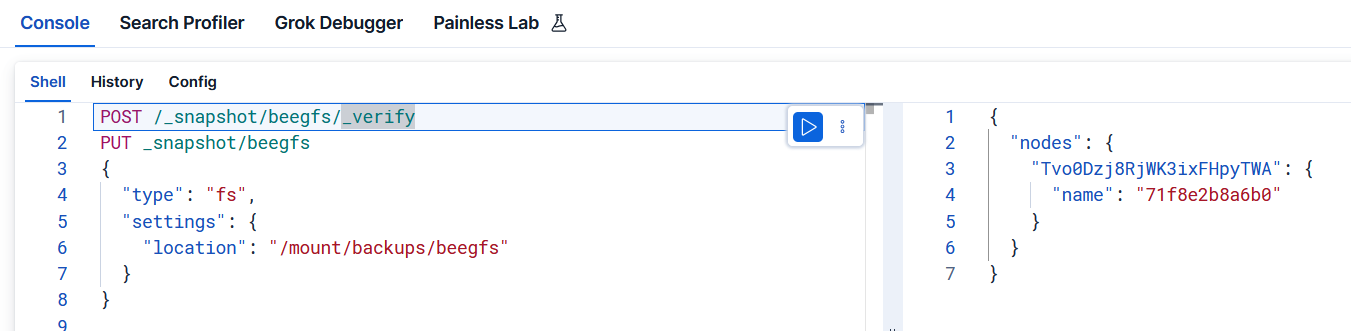
Verify /_snapshot/<target>/_verify:
POST /_snapshot/beegfs/_verify
Response:
{
  "nodes": {
    "Tvo0Dzj8RjWK3ixFHpyTWA": {
      "name": "71f8e2b8a6b0"
    }
  }
}
Upload some data.
I uploaded 300K records from SGAC, my "StorageGRID audit log to JSON (or Parquet)" converter.
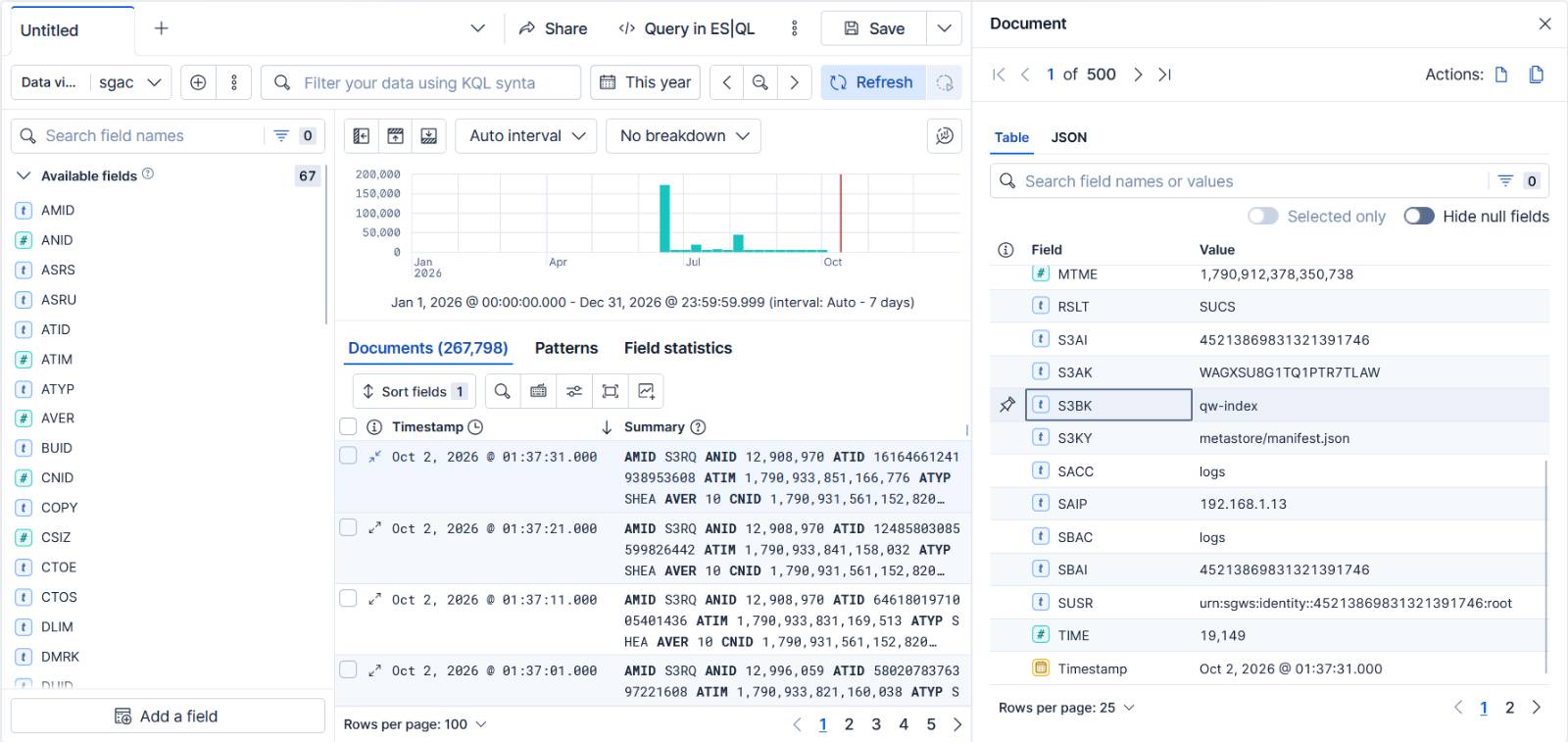
The SGAC input collection wasn't large (170MB JSONL), but it was more than just a blip.
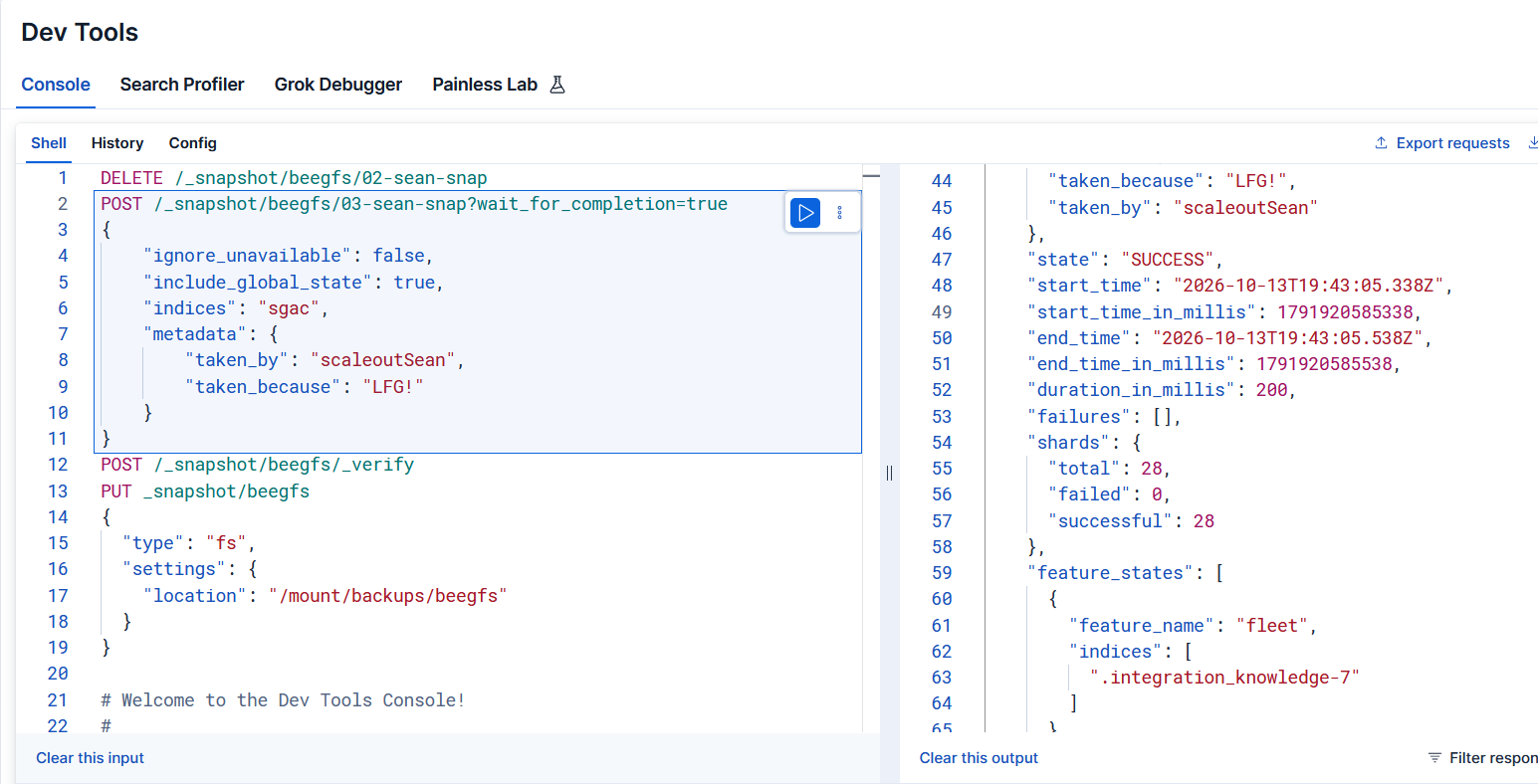
The snapshot was taken with wait_for_completion=true, global state was included to make more data get dumped to disk, and ignore_unavailable was set to false to report any errors.
POST /_snapshot/beegfs/01-sean-snap?wait_for_completion=true
{
    "ignore_unavailable": false,
    "include_global_state": true,
    "indices": "sgac",
    "metadata": {
        "taken_by": "scaleoutSean",
        "taken_because": "LFG"
    }
}
Like with Ray checkpointing, I/O lagged due to OS write buffering, but seconds later it appeared in disk I/O measurements and was nicely distributed across all constituent volumes.

Elasticsearch snapshot dump to disk worked. Over 400 MB was dumped to BeeGFS. Response from that call is lengthy so I put it in Appendix A at the bottom (of the second snapshot, because I forgot to preserve output of the first).
Conclusion
NetApp doesn't have this BeeGFS solution featured, but the fact that it passes Elasticsearch 9 validation makes it supported by Elasticsearch and ThinkParq.
With BeeGFS, we can dump Elasticsearch to disk at whatever speed we get from the storage. With E-Series E4000, that can be 5-10 GB/s to NL-SAS and a lot more with hybrid EF-Series EF50 and EF80 (which have NVMe controller shelf, but can attach NL-SAS expansion shelves).
In fact, with hybrid EF-Series used for snapshots there's little reason to use other storage for Elasticsearch because you can solve Hot Tier in the same array(s). You can move Elasticsearch to Kubernetes (or keep it on bare metal or in VMs), you can dump snapshots to a shared filesystem on NL-SAS, and you can get best NVMe performance possible from a NetApp disk array (see about the EF80 here).
BeeGFS can run out of VMs and for large Elasticsearch clusters you could put BeeGFS into own cluster and run Elasticsearch in Kubernetes (use BeeGFS CSI to mount shared filesystem). If you have dozens of Elasticsearch nodes and need to dump data at tens of GB/s…
BeeGFS 8 has RST, a feature that syncs BeeGFS files to/from S3. RST lets you ship ("push") BeeGFS contents to S3 (e.g. some public cloud with ILM set up to move it to a low cost tier). Even if BeeGFS gets destroyed, snapshot data can be recovered from another BeeGFS cluster, or even accessed directly from authorized S3 clients.
With this approach, while your snapshot dumps still use a shared POSIX filesystem, at least everything is modern. If you decide to tap out and get with the program (S3), the same E-Series storage arrays can be consumed from StorageGRID SDS VMs without investment in new hardware (you'd get a performance penalty because of increased redundancies in S3, but mostly eliminate the need to make a copy in public cloud).
Appendix A: API response (snapshot)
I didn't get the response for the first snapshot. This is the second snapshot to shared filesystem which completed quickly as no new data was added since the first. You can see Elasticsearch is v9.5.5, latest as of today.
{
  "snapshot": {
    "snapshot": "02-sean-snap",
    "uuid": "bjBbwd6RRc-S89FzE2GfaA",
    "repository": "beegfs",
    "version_id": 9111000,
    "version": "9.5.2-9.5.5",
    "indices": [
      ".kibana_locks-000001",
      ".security-7",
      ".workflows-workflows-000001",
      ".security-profile-8",
      ".chat-agents-000001",
      ".kibana_alerting_cases_9.5.5_001",
      ".kibana_task_manager_9.5.5_001",
      ".ds-.kibana_change_history-2026.10.13-000001",
      ".ml-notifications-000002",
      ".async-search",
      ".ds-.workflows-events-2026.10.13-000001",
      ".kibana_streams-000001",
      ".ml-inference-native-000002",
      ".kibana_security_session_1",
      ".ml-annotations-000001",
      ".inference",
      ".apm-custom-link",
      "sgac",
      ".ml-inference-000005",
      ".kibana_ingest_9.5.5_001",
      ".kibana_security_solution_9.5.5_001",
      ".secrets-inference",
      ".apm-agent-configuration",
      ".kibana_usage_counters_9.5.5_001",
      ".kibana_9.5.5_001",
      ".integration_knowledge-7",
      ".kibana_search_solution_9.5.5_001",
      ".kibana_analytics_9.5.5_001"
    ],
    "data_streams": [
      ".workflows-events",
      ".kibana_change_history"
    ],
    "include_global_state": true,
    "metadata": {
      "taken_because": "LFG!",
      "taken_by": "scaleoutSean"
    },
    "state": "SUCCESS",
    "start_time": "2026-10-13T19:39:10.309Z",
    "start_time_in_millis": 1791920350309,
    "end_time": "2026-10-13T19:39:10.509Z",
    "end_time_in_millis": 1791920350509,
    "duration_in_millis": 200,
    "failures": [],
    "shards": {
      "total": 28,
      "failed": 0,
      "successful": 28
    },
    "feature_states": [
      {
        "feature_name": "fleet",
        "indices": [
          ".integration_knowledge-7"
        ]
      },
      {
        "feature_name": "async_search",
        "indices": [
          ".async-search"
        ]
      },
      {
        "feature_name": "security",
        "indices": [
          ".security-7",
          ".security-profile-8"
        ]
      },
      {
        "feature_name": "kibana",
        "indices": [
          ".kibana_9.5.5_001",
          ".kibana_usage_counters_9.5.5_001",
          ".apm-agent-configuration",
          ".kibana_security_session_1",
          ".kibana_task_manager_9.5.5_001",
          ".kibana_streams-000001",
          ".ds-.workflows-events-2026.10.13-000001",
          ".workflows-workflows-000001",
          ".kibana_analytics_9.5.5_001",
          ".kibana_search_solution_9.5.5_001",
          ".kibana_ingest_9.5.5_001",
          ".kibana_alerting_cases_9.5.5_001",
          ".apm-custom-link",
          ".ds-.kibana_change_history-2026.10.13-000001",
          ".kibana_locks-000001",
          ".chat-agents-000001",
          ".kibana_security_solution_9.5.5_001"
        ]
      },
      {
        "feature_name": "inference_plugin",
        "indices": [
          ".secrets-inference",
          ".inference"
        ]
      },
      {
        "feature_name": "machine_learning",
        "indices": [
          ".ml-inference-native-000002",
          ".ml-inference-000005"
        ]
      }
    ]
  }
}