StorageGRID bucket snapshots with sg-cosi
Introduction
The previous post explored the disaster that COSI v1alpha1 specification and implementation have been, and introduced the first use case for which it's marginally useful - "vending machine for S3 access credentials".
This post is about the second use case, the same use case I find useful for native E-Series CSI drivers ("read-only Linked Clones", as I call them there) - read-only bucket snapshots. NetApp calls these "branch buckets", but we don't have to.
Why
COSI currently doesn't seem good enough for much. Credentials vending seems reasonably safe because it doesn't involve Object Store data manipulation, but buckets do involve data access, and due to how S3 and StorageGRID work, COSI represents integration risks (by this I don't mean "COSI isn't secure", but rather "one can easily create a mess").
sg-cosi therefore supports just two scenarios:
- Brownfield for existing buckets - where existing buckets (presumably properly managed and governed) are adopted by COSI, the same way static PVCs can be created from PVs in Kubernetes CSI.
- Greenfield read-only snapshots - where new buckets, limited to read-only snapshots, can be created for use from Kubernetes. This seems relatively safe because it doesn't increase new object capacity or count.
Self-service S3 credentials ("credential vending") are available in both of these scenarios.
What
Here's what happens in this workflow.
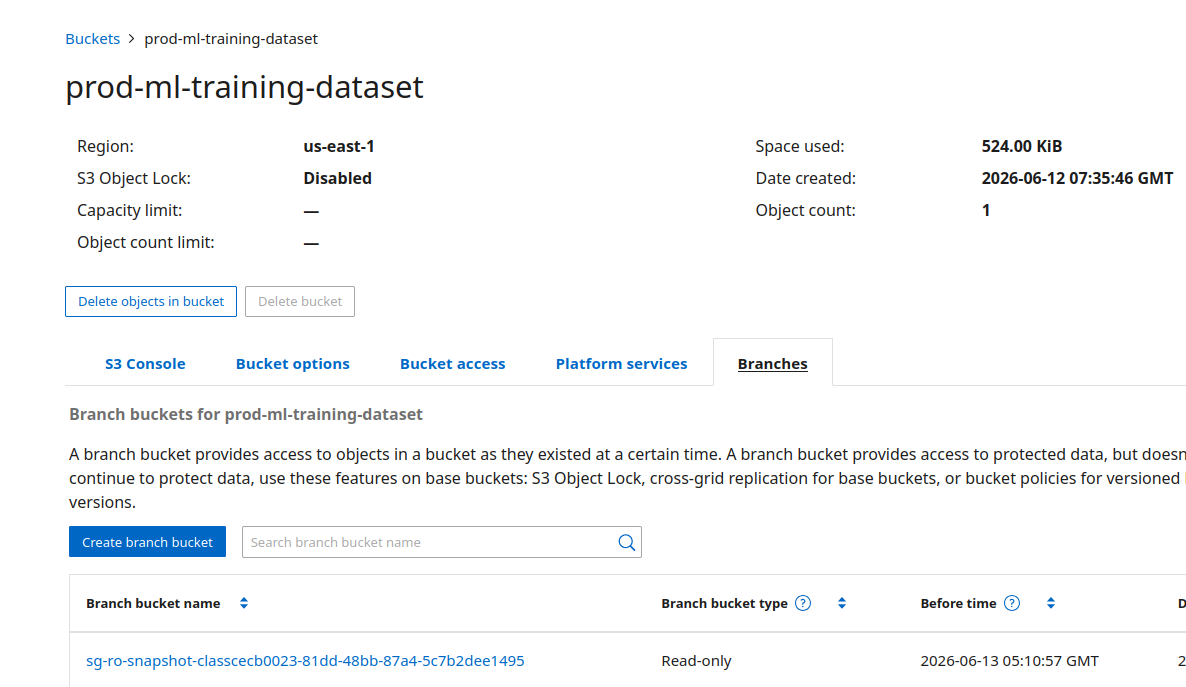
You have some buckets which you'd like to view from a point-in-time (PiT) that may be today or any other time since the bucket was created. I'm interested in prod-ml-training-dataset.
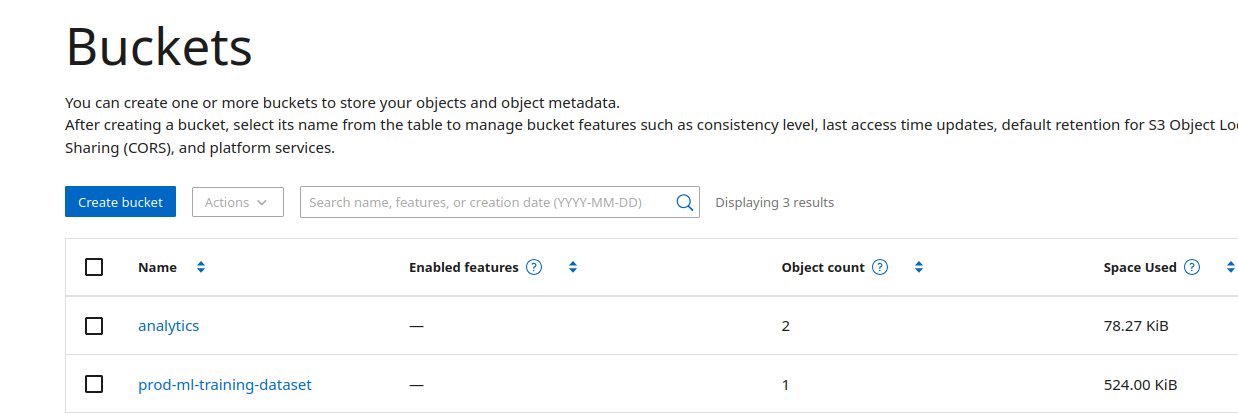
If you don't pick a PiT, current time is used. What's the point of not picking a PiT? Bucket data remains static.
In the UI, you may also choose to make the snapshot bucket writable, or read-only. In sg-cosi, read-only is the only option at this time.
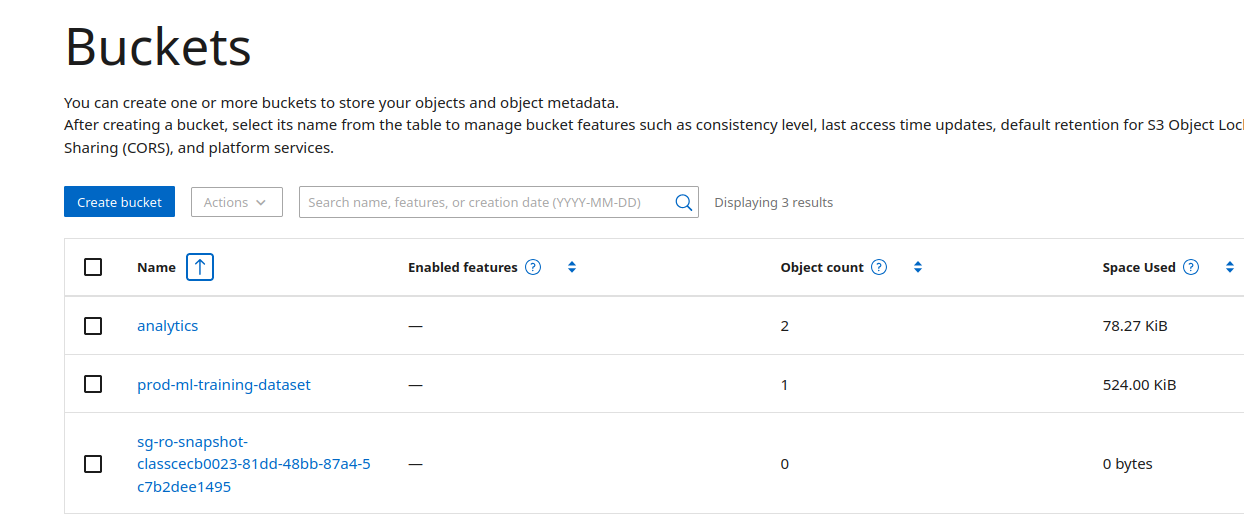
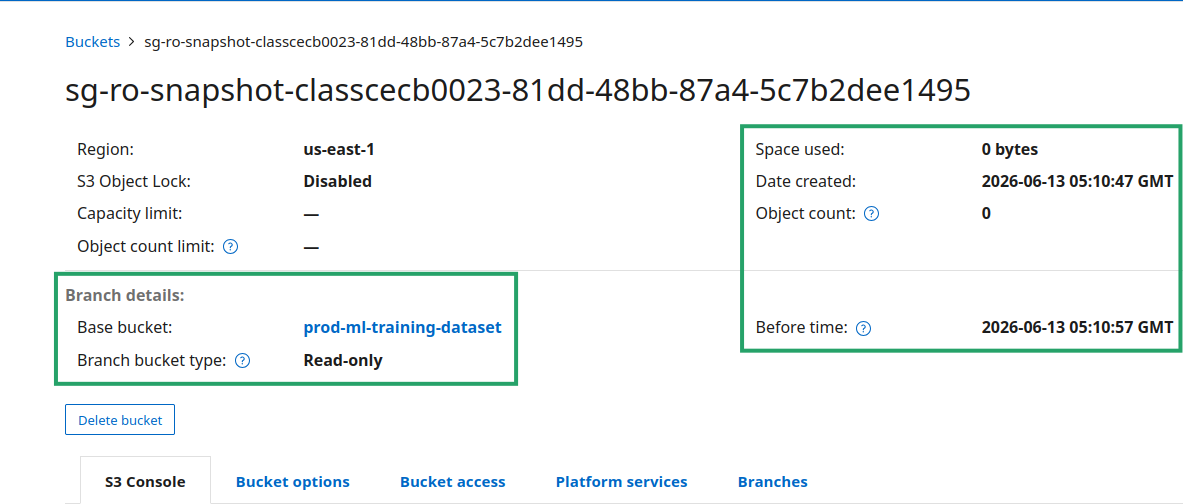
These sg-cosi-generated snapshots buckets have the following characteristics:
- Random name suffixes to prevent name collisions
- 0 object count and 0 bytes (this refers to post-snapshot time, and is expected since they can't be written to)
- Time used for PiT (
Before timevalue)
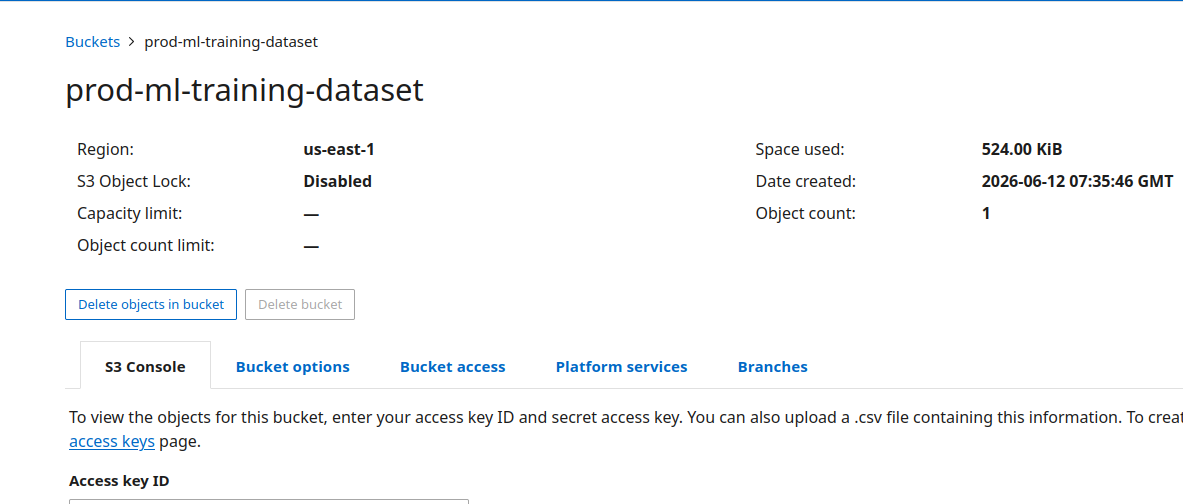
Parent bucket will usually have something in it, otherwise we wouldn't take a snapshot of it. This one had one object, which is still a good use case as we may have been overwriting it periodically.
Although - for a single object - we could look at the object versions and pick a version rather than clone an entire bucket, those aren't trivial operations if more objects, or even multiple buckets, are involved.
Existing snapshots are listed in Branches tab of a bucket.
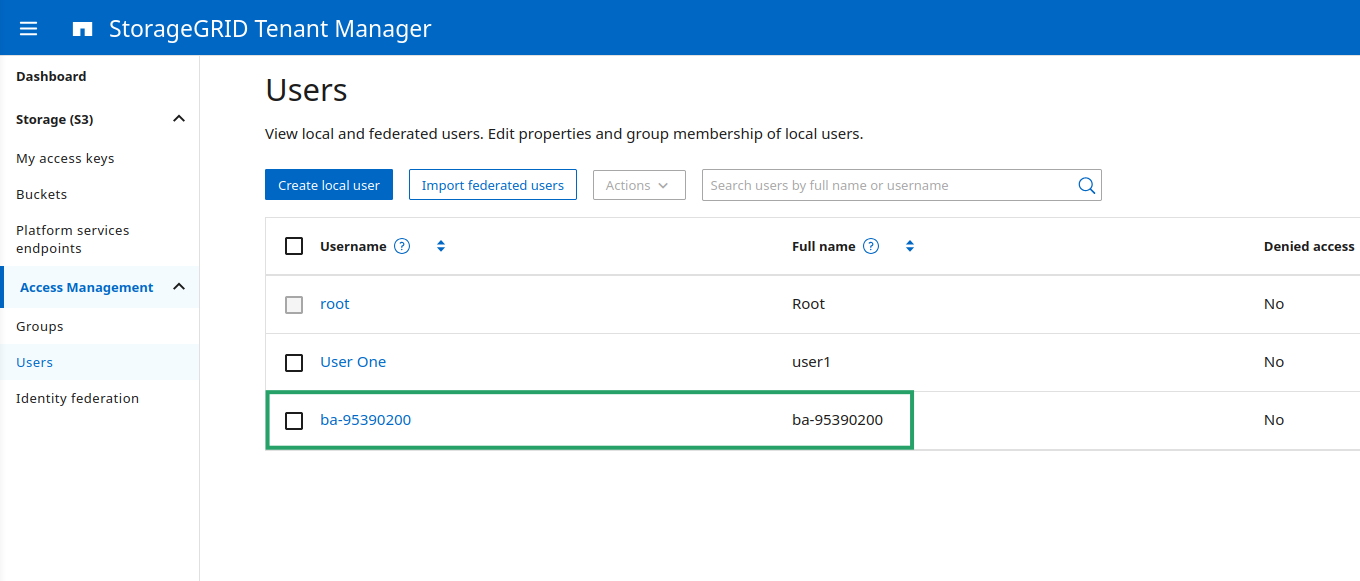
sg-cosi can create disposable S3 keys for S3 clients, if you want. That's part of the other major COSI feature ("credentials vending") and optional in this workflow (if you want to Bring Your Own Credentials, you can). Here, ba-95390200 was created automatically.
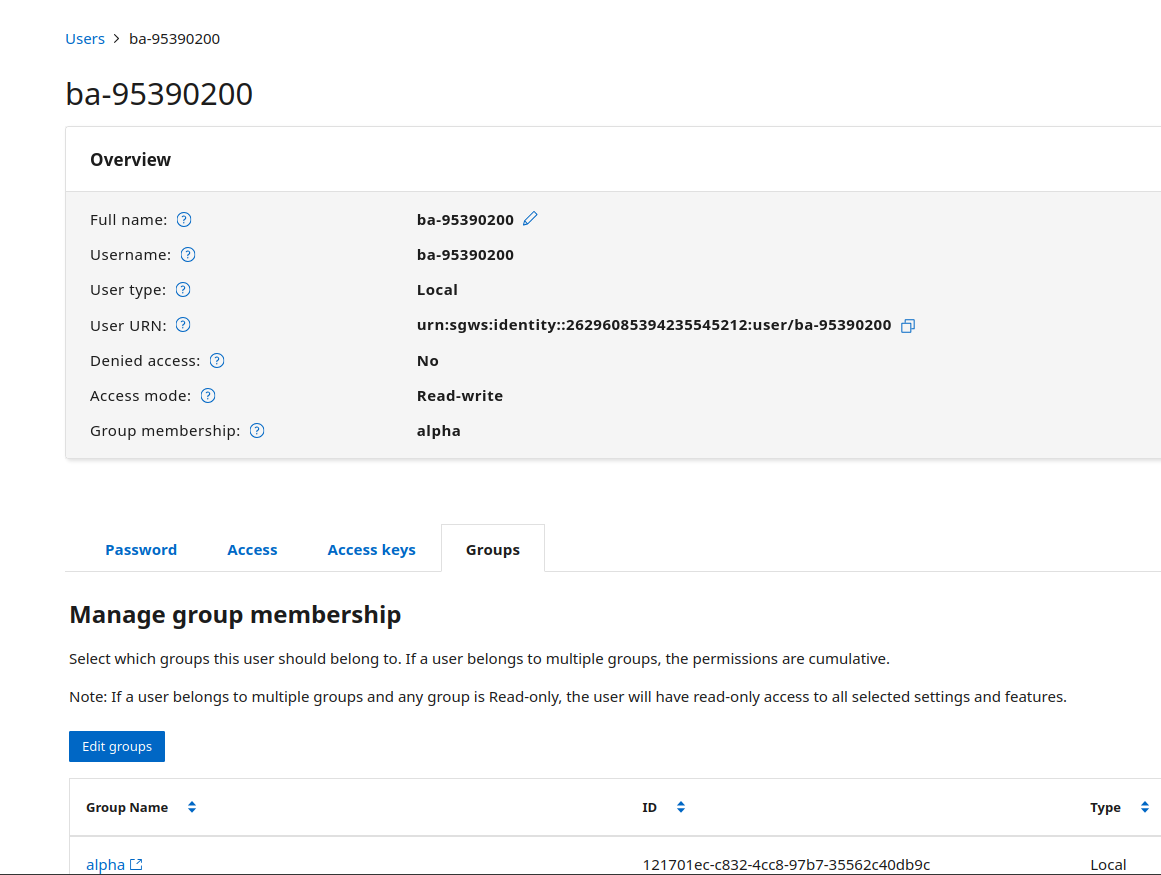
As explained in the previous post on sg-cosi, we can create these in any tenant group. Snapshot bucket ACLs need to allow access to the user or group (tenant admin needs to ensure this separately; COSI doesn't mess with your ACLs, it only uses them).
Management of read-only bucket snapshots
Read-only bucket snapshots remind me of SolidFire snapshots, where a clone results in a fully copy of a volume database ("slice") created and activated somewhere in the cluster. You don't need to know almost anything about it. You just use it.
When we create a StorageGRID bucket snapshot, we also don't need to think where the base bucket is, where the clone will be "active" or anything like that. Placement - solved (even with read-write bucket snapshots). Load balancing - solved. Access from any permitted IP without new configuration - solved. Authorization - solved. Read caching - solved. Scale-out - solved, with over 200 nodes to spread the workload over.
Conclusion
Since StorageGRID 12 came out I've written several posts about bucket snapshots and received absolutely no interest in it. That makes bucket snapshots one of my favorite features because I like being correct and I like it even more when no one else agrees with me. Especially on this topic which extends to the broader question of the role of Object Storage.
Conventional wisdom (the snapshot wizard in SANtricity) tells you to reserve 40% of your fastest and most expensive tier for snapshots. CNPG-I shows you how to use closer to 0% and still get a near 0 RPO using object storage.
Conventional wisdom tells you to keep vector database snapshots on Tier 1 storage for years "just in case", but vector database snapshots show you a way to park your snapshots on low-cost S3, so that you can completely delete them from primary block storage and load them only when you need them (which may be never, and that's fine with HDD-based object storage nodes).
Bucket snapshots show you how you can take this even further: not only can we periodically dump our vector database state to S3 and delete on-disk snapshots, but in some cases we can simply discard them all-together. Why is that? Because, as long as we keep the source data, we can create a snapshot from any point in time and recompute all vector embeddings as we please (just make sure you keep container images you need for this parked in S3 as well). (Another place where S3 is creating disruption is that vector database vendors are starting to store data in tables that live on S3, not on block or NAS storage.)
CNPG-I creates continuous database snapshots and backups to S3. StorageGRID bucket snapshots perform continuous unstructured data snapshots and backups on S3. Data lakes have material views that provide similar features to petabytes of data backed by S3. Do you recognize a pattern?
I still need block storage for databases (especially write-ahead logs, which is one of two data types CNPG-I preserves), catalogues and temp/scratch space. But the rest is all in Object Stores. Now that Read-Only Snapshot (the first blue bucket in the diagram below) is now accessible from Kubernetes, too!
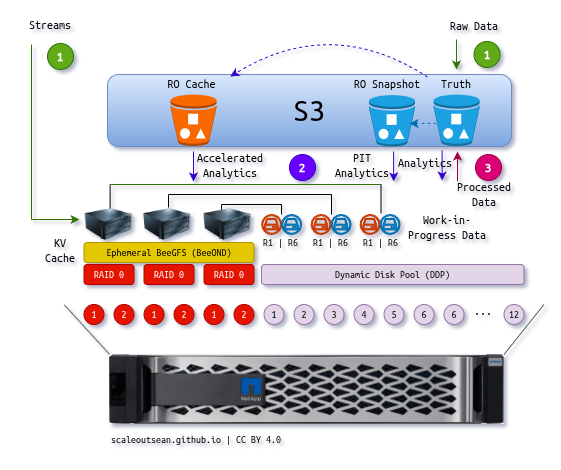
We can use Ansible or Terraform with StorageGRID to create S3 bucket snapshots and update S3 configuration (S3 endpoint, credentials/secrets) for our job scheduler or compute farm.
COSI does the same from within Kubernetes (and a bit more, with credentials vending). This isn't new, it's just different.
With E-series CSI drivers available, we can now run end-to-end block-and-S3 workflows entirely from Kubernetes backed by E-Series. Cloud-native databases, analytics, remote S3 access with on-disk S3 cache…
With read-only bucket snapshots added, sg-cosi seems feature-complete until COSI gets closer to implementing v1alpha2 specification. Nothing else seems worth the trouble.
Two sample workflows (browfield with existing buckets, greenfield with snapshot buckets) with end-to-end YAML files will be published on the sg-cosi repository in the coming days.
Appendix A: Demo
Find it here (1m46s).