Proxmox Backup Server 4.2, Versity S3 Gateway and NetApp E-Series
Introduction
I have a long post on Proxmox Backup Server 4.1 here. This one is about PBS 4.2, focuses on just S3-backed datastores and will be short.
In Proxmox Backup Server (PBS) 4.2, S3 support graduated from a technology preview to a supported feature.
S3 users with many hundreds of TBs should probably use S3 appliances such as NetApp StorageGRID. Smaller environments can run StorageGRID in VMs or Versity S3 Gateway in containers, or on bare metal servers.
In this post we used PBS 4.2 with Versity S3 Gateway v1.4.1. There isn't much to write about, though - it mostly just works.
Deploy, backup, restore
- PVE 9.1.9
- PBS 4.2.0 (with S3 datastore support and Linux kernel 7)
- Versity S3 Gateway (VGW) v1.4.1
VGW was deployed on a LUN backed by E-Series. Because we did not evaluate performance (which I knew could not be fully consumed by a 2 vCPU PBS VM - see my PVE post with performance tests), I just re-used one of the existing SANtricity LUNs mapped to my PVE system.
When deploying VGW, unlike in recent VGW-themed posts, I specified to use HTTPS and have enabled versioning in VGW to test versioning. My S3 Endpoint configuration file may be found in Appendix B.
Then I added this S3 resource to PBS datastores and had no problems setting it up whatsoever. The only annoyance was the usual PBS requirement to get a certificate fingerprint for self-signed TLS certificates while defining S3 endpoint, which I did by examining the VGW certificate from the browser.
I deployed PBS 4.2 in a VM (shouldn't be done in production, but it was good enough for testing), configured a ZFS datastore on the second PBS VM volume backed by E-Series LVM, and a separate S3-backed backup repository as I've mentioned. That was so that I can compare the two in case of any issues with backing up to the S3-backed backup repository.
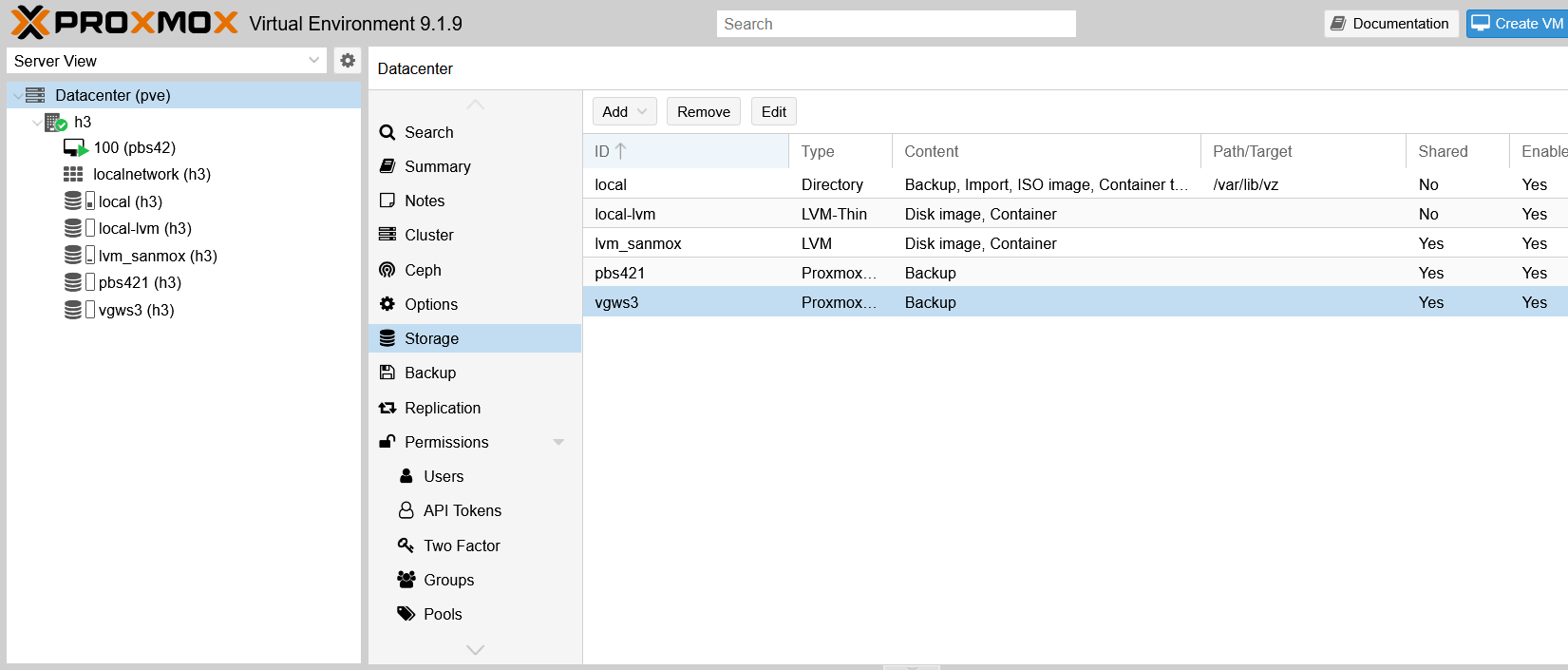
The S3 endpoint:
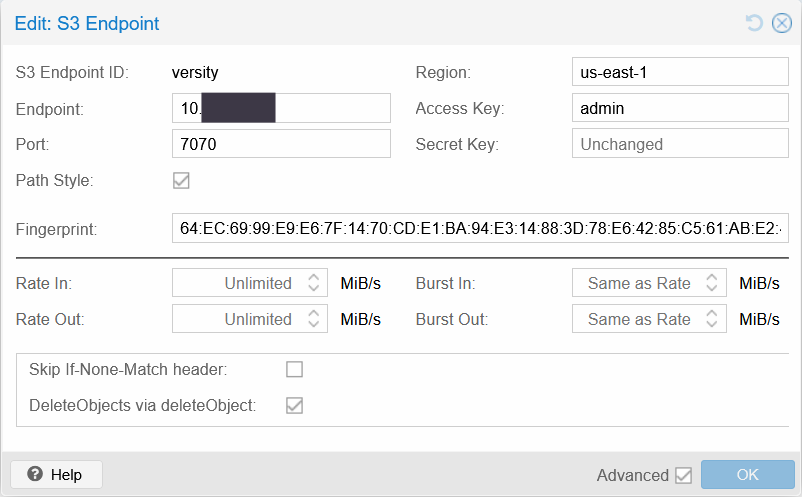
This is a VGW S3 Endpoint in PBS 4.2.0 settings.
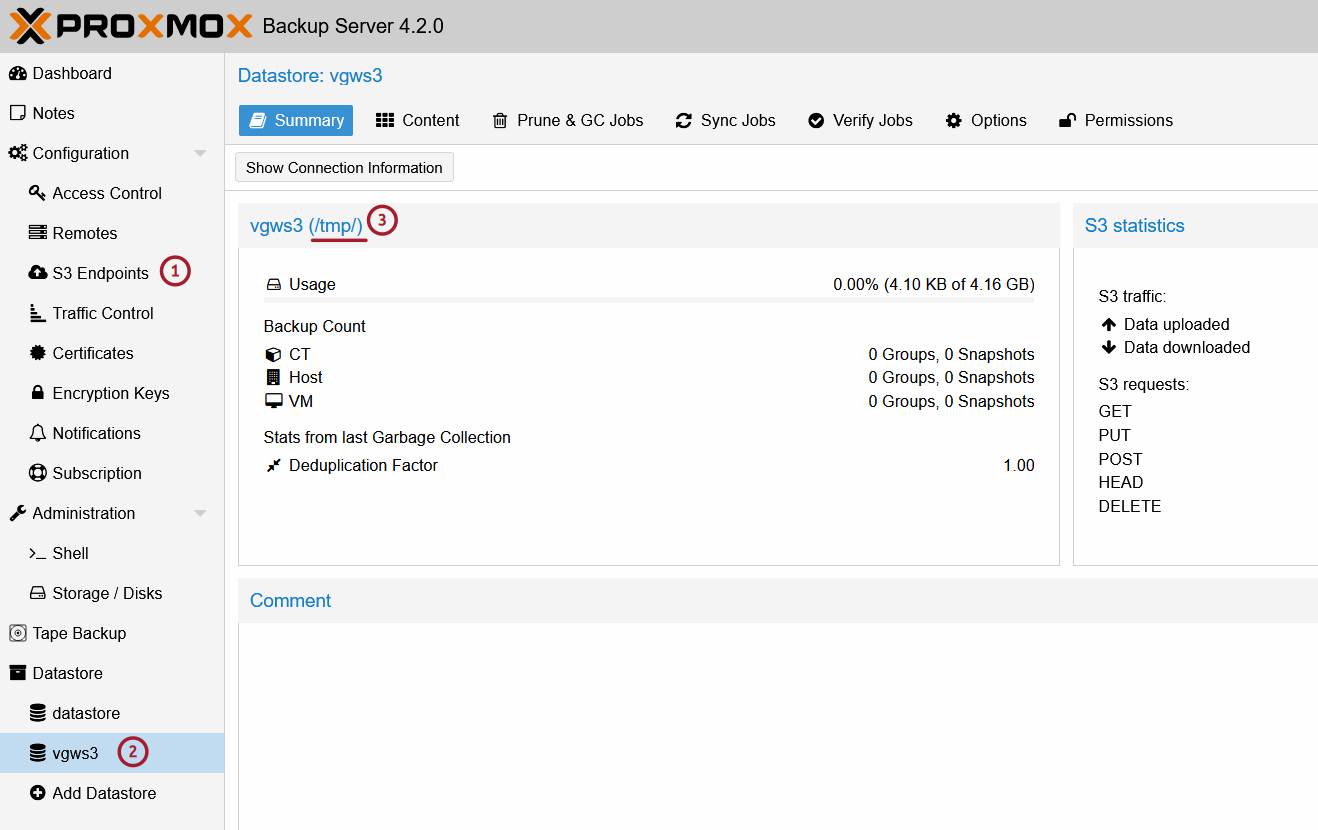
Notice that, in datastore (not S3 endpoint) settings, I used /tmp/ as my temporary directory, which should be configured to a persistent path (I just didn't want that to occupy my disk space after these tests).
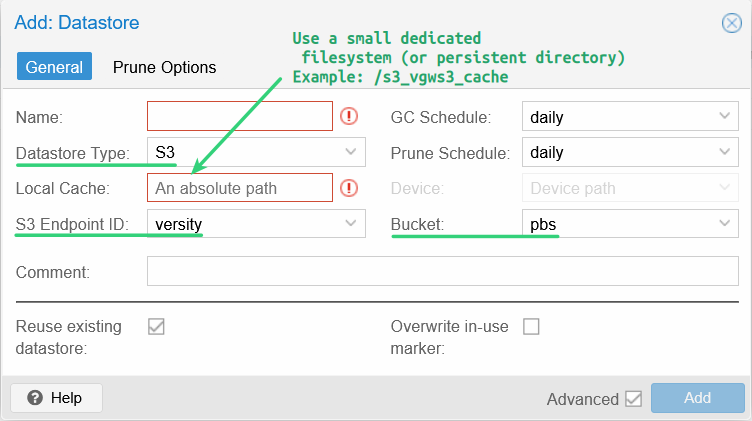
This - Local Cache - is the place where you should pick a persistent path for S3 cache. It doesn't have to be large or very fast (it just has to be faster than S3) - see the PBS documentation for more.
That bucket, pbs, viewed in the Versity UI, initially holds just several objects generated when configuring it.
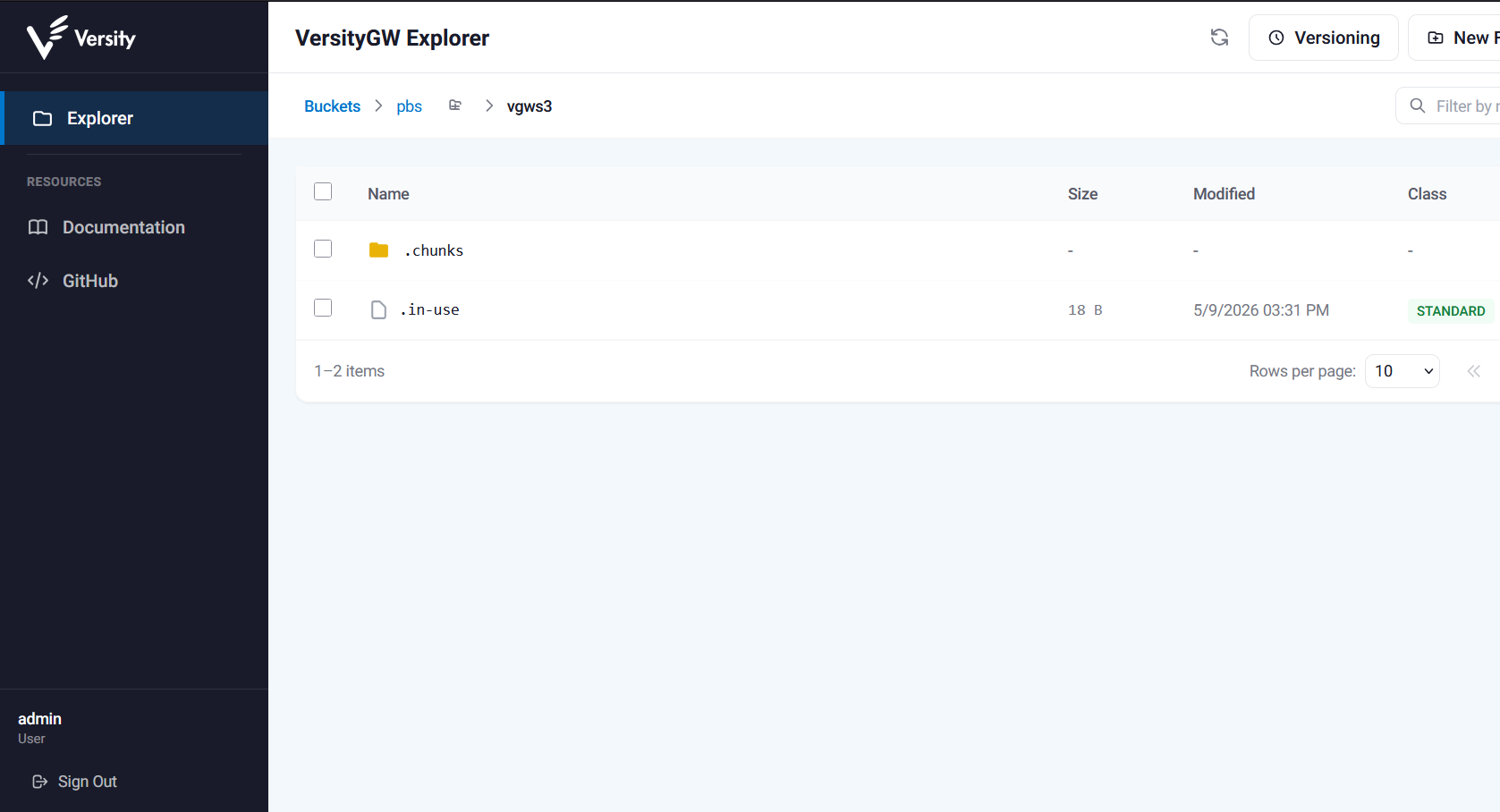
The same VGW instance is used to host a bucket for Velero (used to backup E-Series CSI data), so you can consolidate your Kubernetes and PVE backups on the same S3 storage instance.
An LXC container has been created on a SANtricity LVM device for the purpose of backup/restore testing.
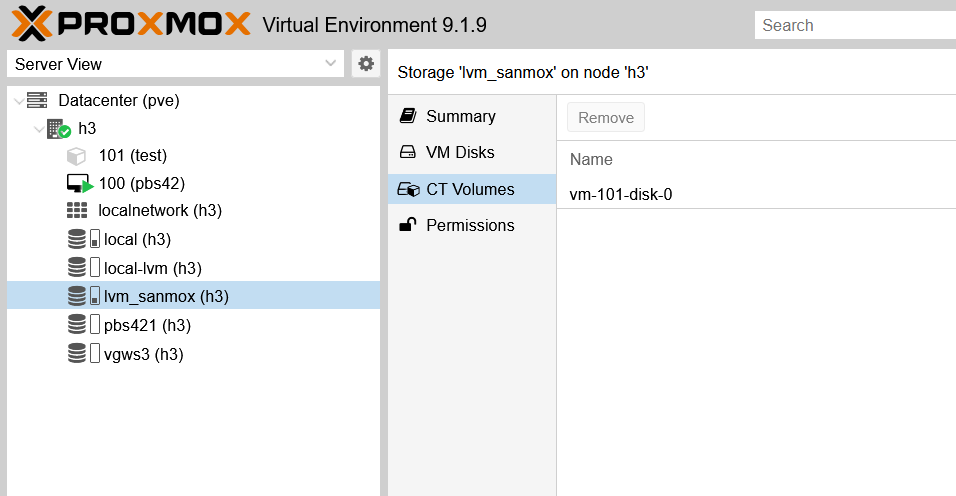
In the case you wonder why this storage type is lvm_sanmox - the reason is that's my basic plugin for shared LVM storage on NetApp E-Series. At present, it's virtually identical to built-in shared LVM storage type. See the post for more.
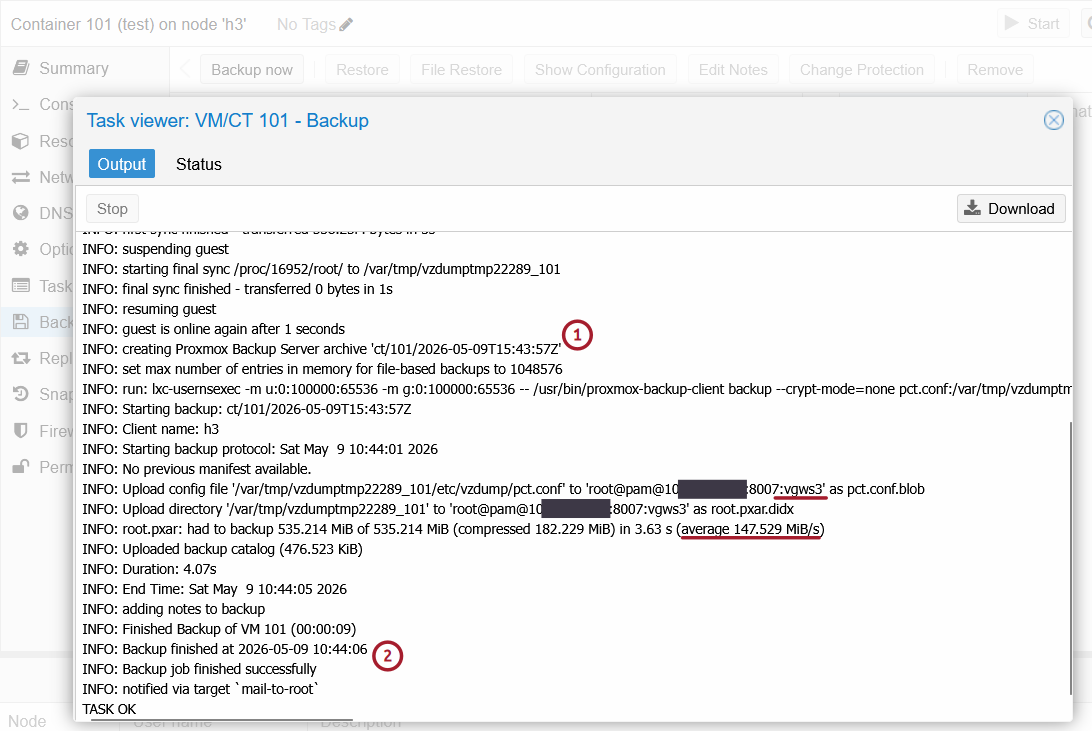
The first backup to S3 was taken with the container running (PVE handles that easily) and it went smoothly. It was comparable to backing up to a standard PBS datastore on ZFS.
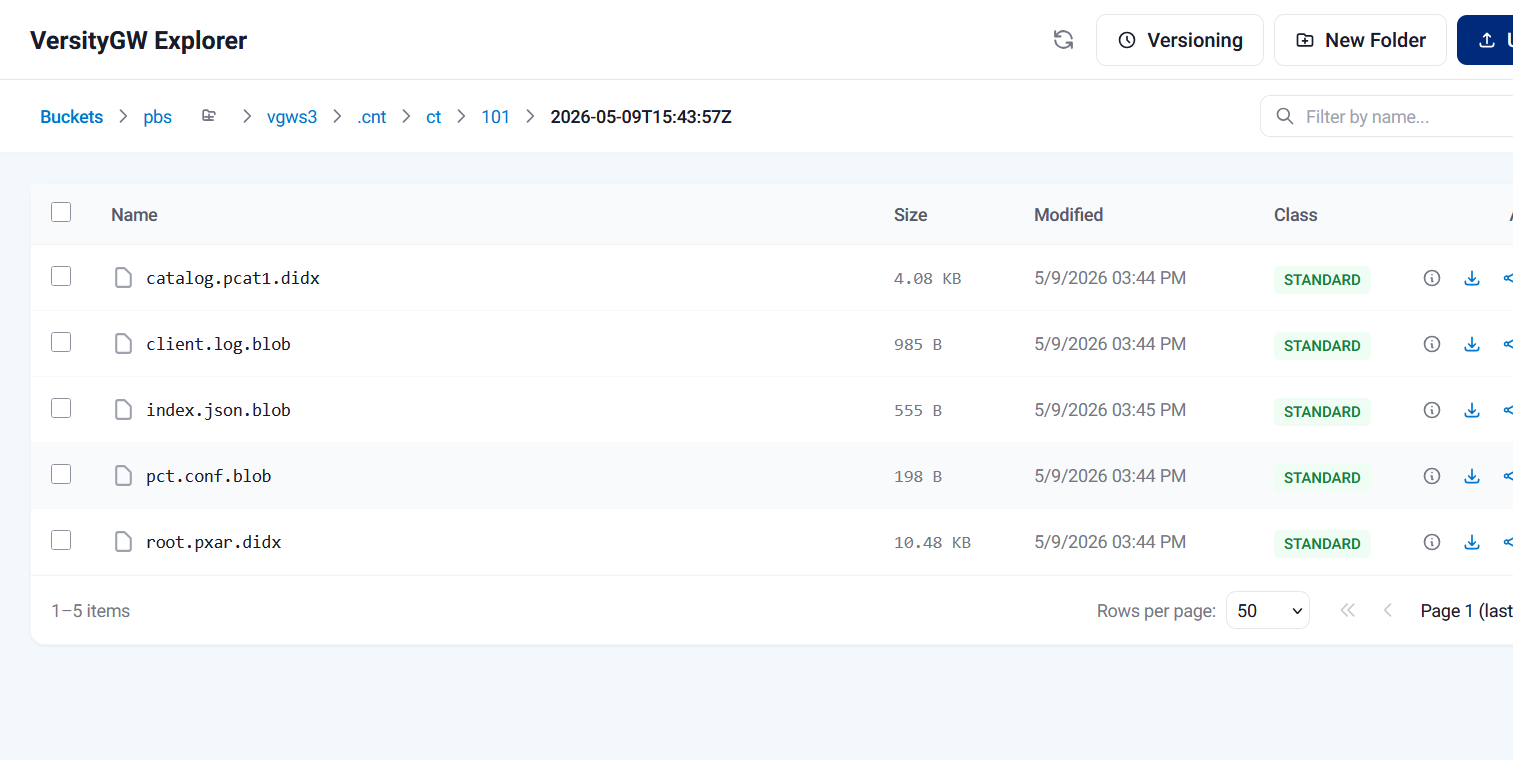
I checked the PBS bucket on VGW - new data was in it.
I only glanced over the PBS manual to see if object versioning (which I had enabled on VGW) would be any useful - it seems not, apart from DIY approaches to recover overwritten objects. On the other hand, note that on VGW, object versioning is still experimental, and requires a separate "versioning" path (in addition to data path) when starting VGW service.
So, in any event, this particular combination isn't something very reliable as far as Object Lock is concerned - StorageGRID SDS in VMs running on a stand-alone PVE node is a better way if you need reliable and secure S3 SDS.
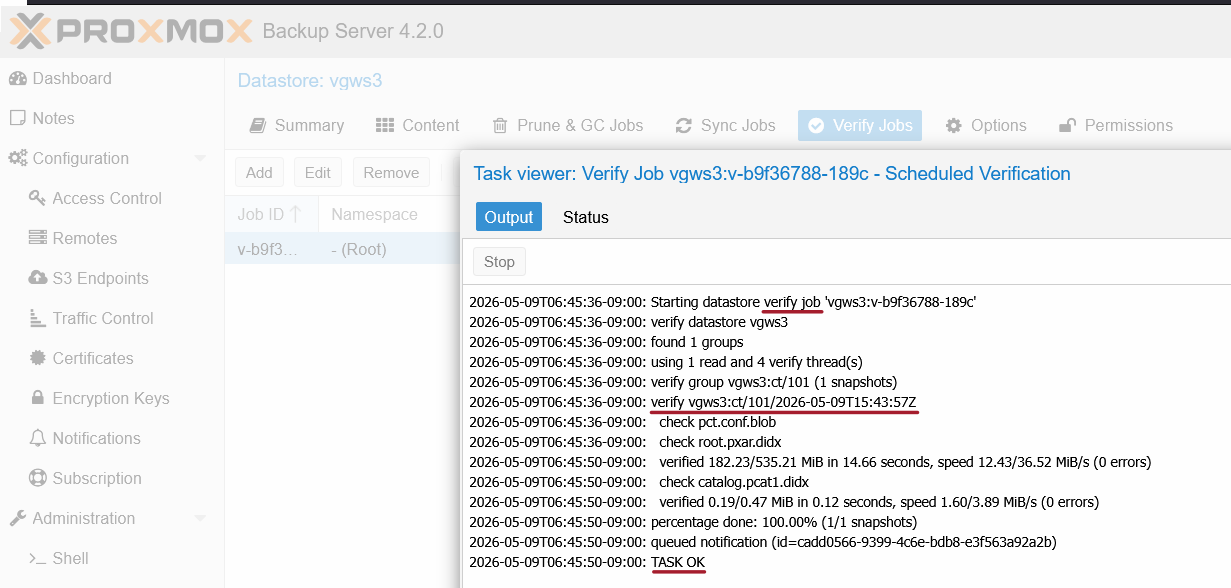
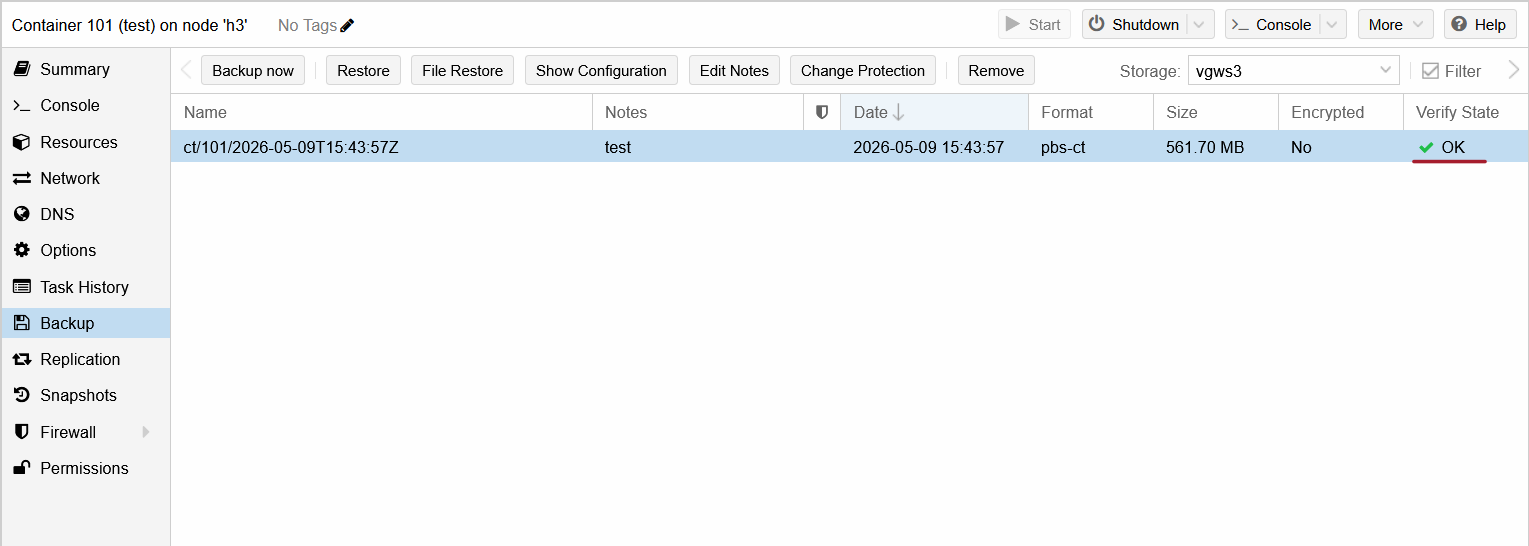
Then I enabled and executed data verification for that backup job, which was successful.
This is the CT101 data in the PBS S3 datastore pane.
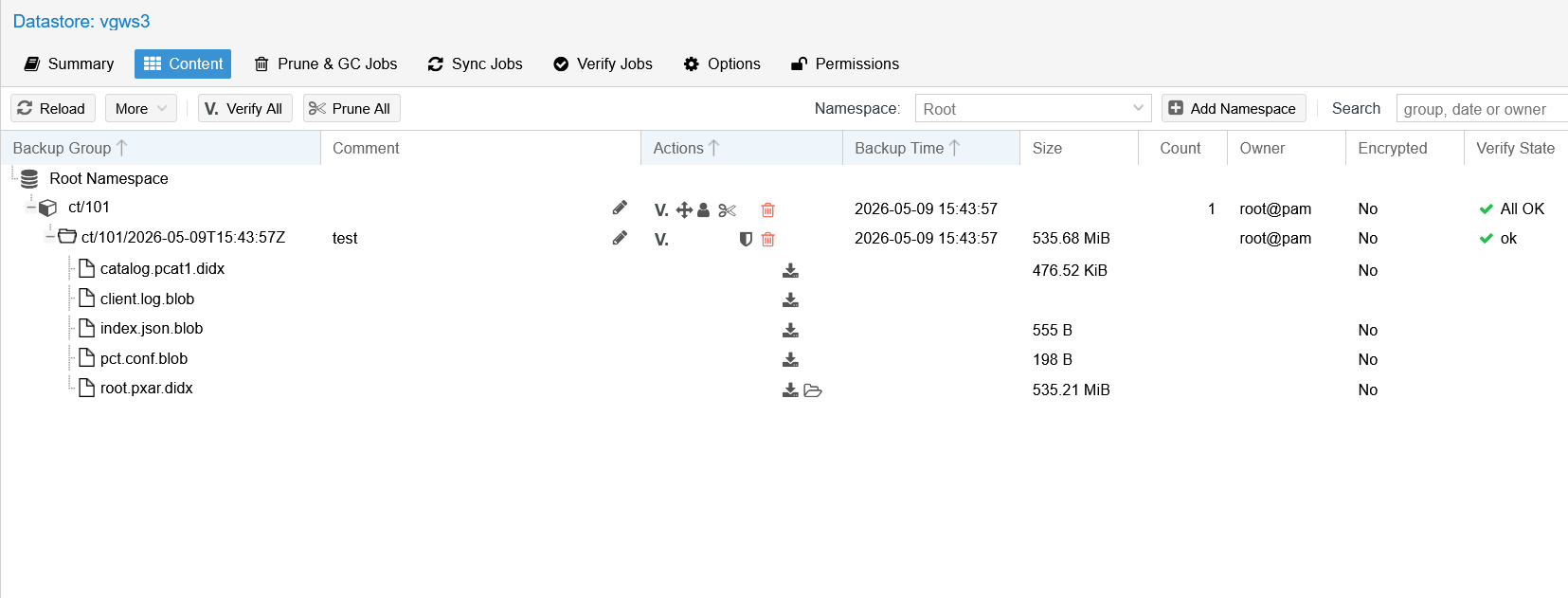
The same in a larger view, showing job verification was successful and that a backed-up 500 MB container disk was there.
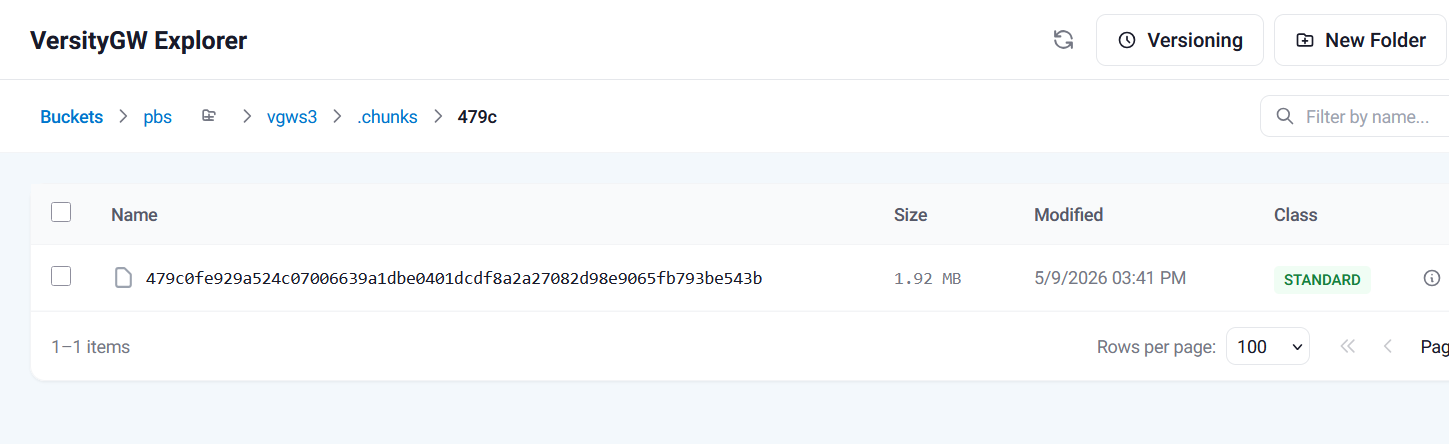
In the S3 object store, backup data chunks are stored in the chunks subdirectories (<bucket>/<s3_endpoint>/.chunks/[0000-ffff]).
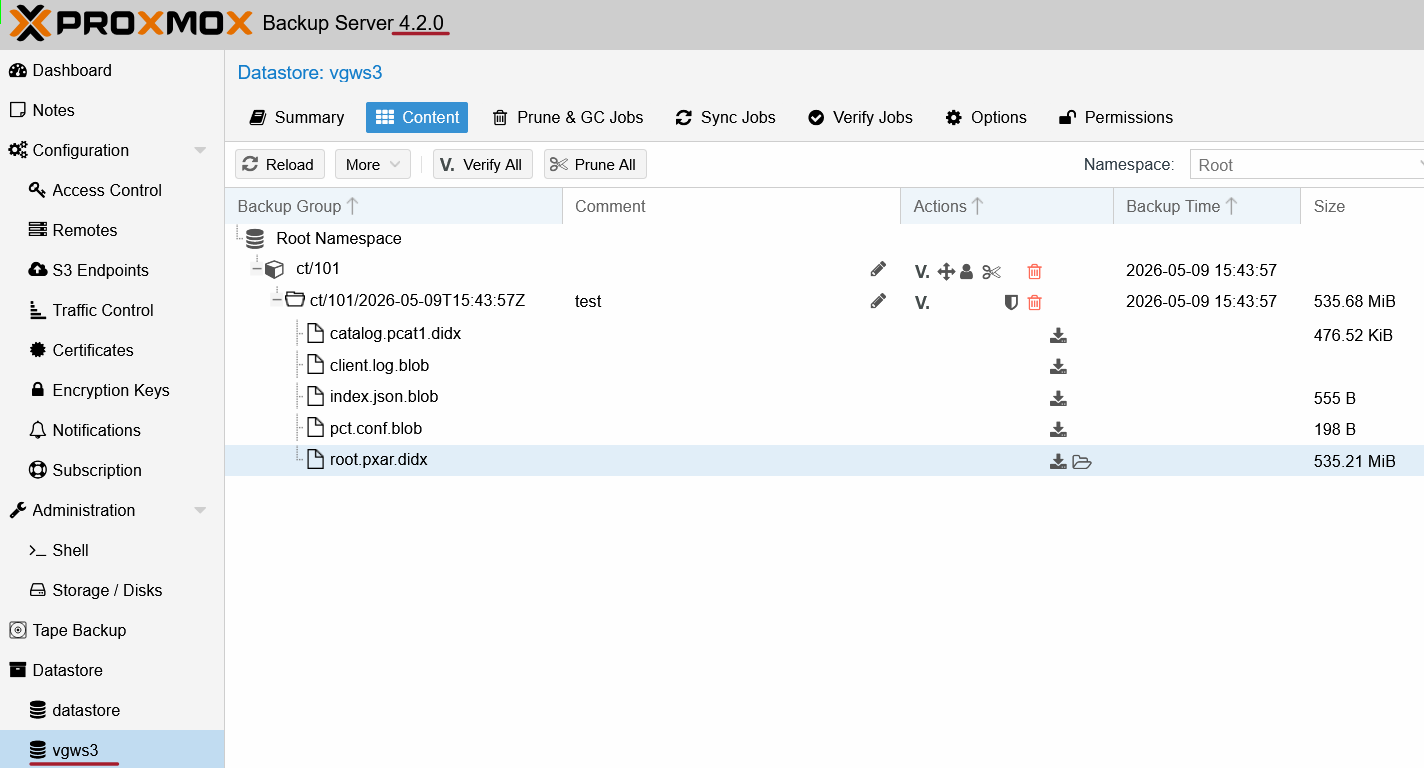
I went back to PVE 9 and navigated to the CT, Backup > vgw3, to view the CT backups on S3.
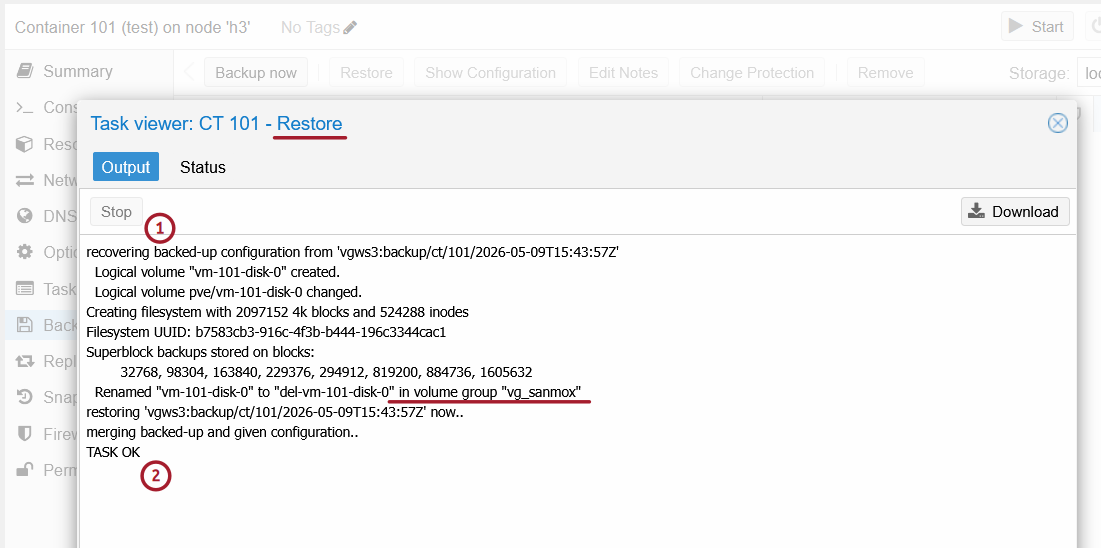
I restored from that initial backup and that went fine.
One thing I had forgotten, but I should mention, is that it's possible to restore individual files and/or directories.
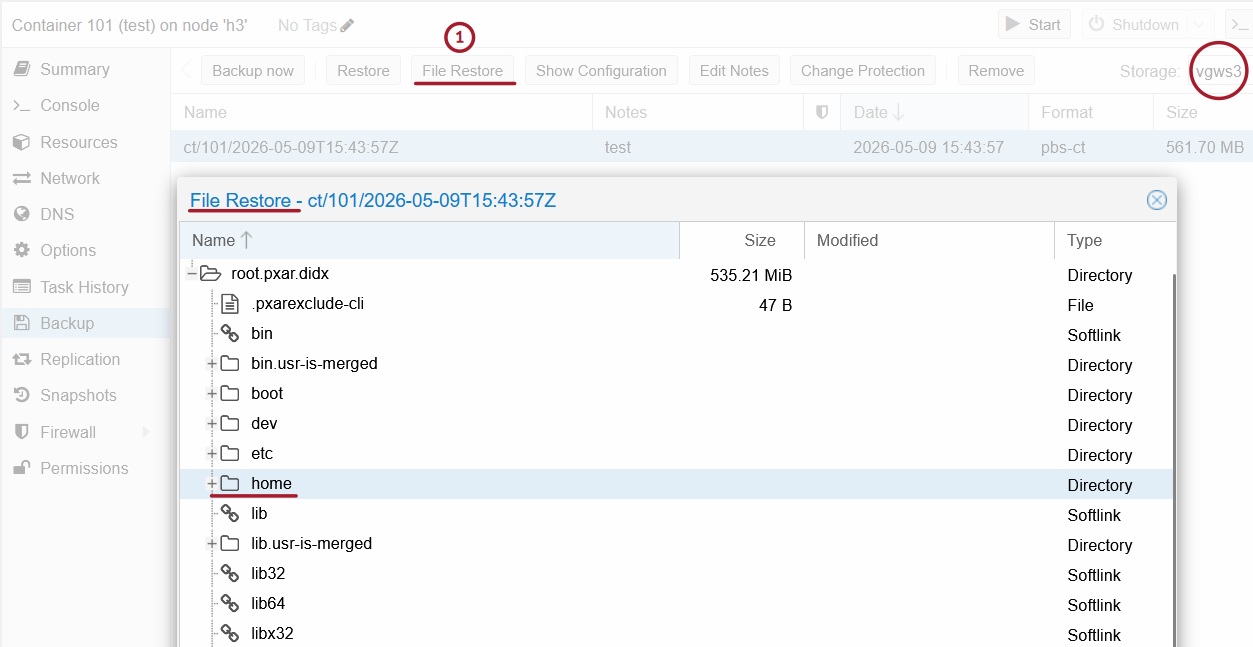
That's done by downloading selected file(s) and/or directories. Or, from the CLI, you can mount - assuming you have the permissions - a backup with FUSE, and use cp to copy what you need. Very nice!
Side notes
I initially had issues resulting from trying to serve S3 over HTTP (so that I can avoid setting up TLS).
Annoyingly, PBS 4.2 does not support HTTP. After switching to HTTPS and registering the certificate fingerprint with PBS (in PBS server's S3 Endpoint configuration), everything worked fine.
The other thing - mentioned above - is that you shouldn't use a non-persistent directory for S3 cache. It's really a bug in PBS (missing read-only cache should be simply re-initialized in the configured directory), but regardless - that doesn't work and PBS stumbles.
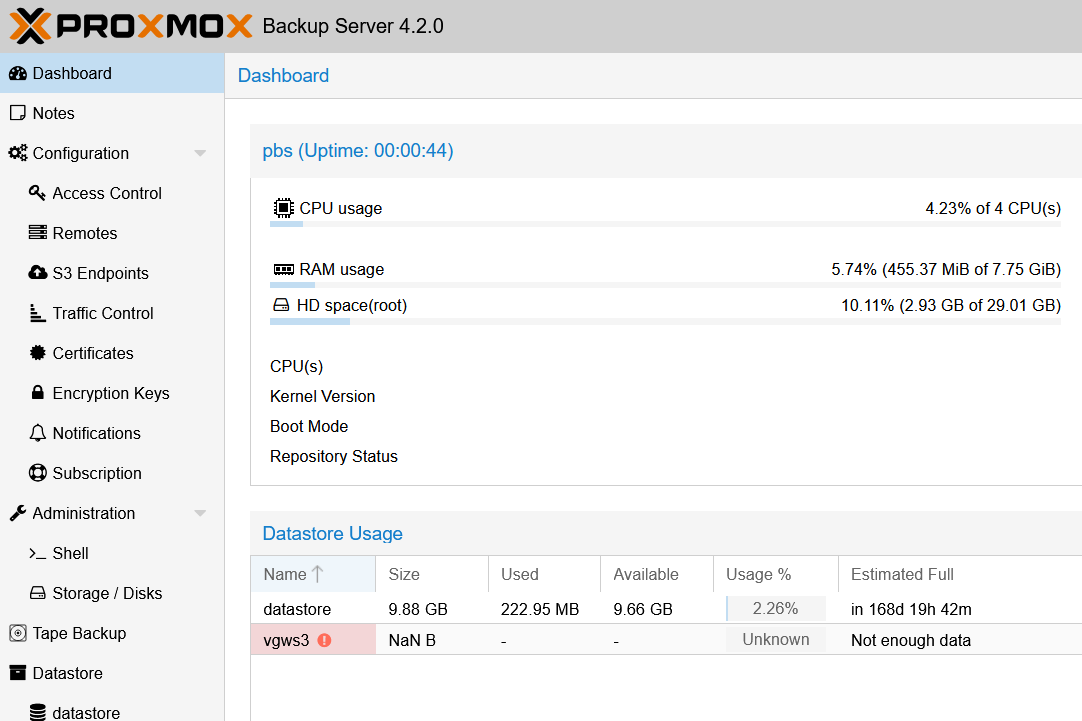
It's ludicrous that a missing read-only cache can down a data store, but they will probably get it fixed once paying users create enough support issues. (I do agree one shouldn't pick /tmp/ for cache, but that's not a good excuse - I could lose the underlying local cache disk on PBS and shouldn't be able to lose access to S3 backups, yes?)
As far as I could tell my S3 was available. It was just that Local Cache that was cleared after a PBS VM reboot.
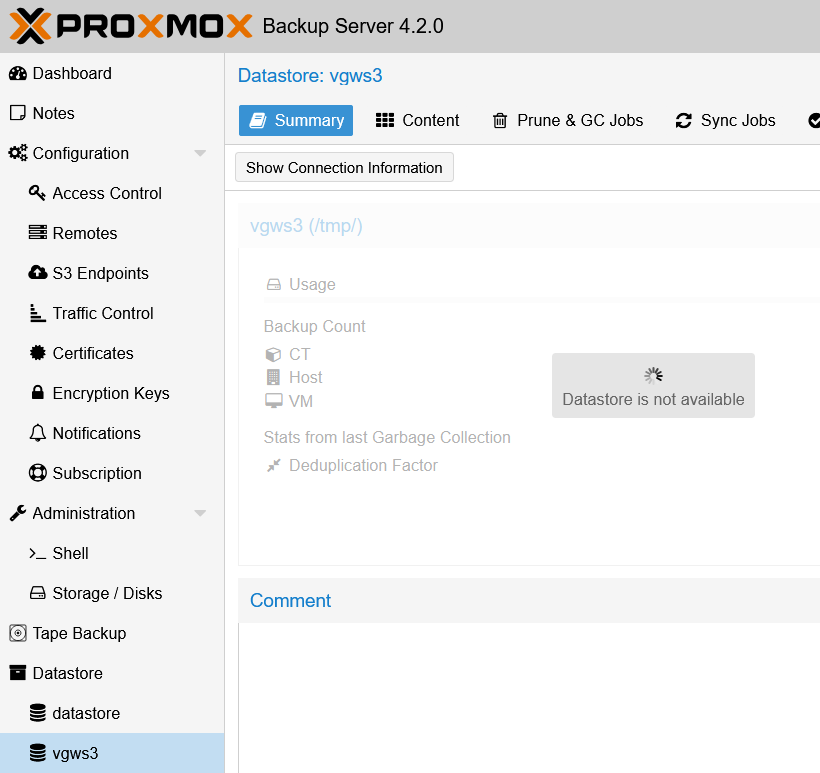
There's no obvious way to "reset" the cache setting and re-initialize local cache. Perhaps it's possible to remove and then re-use existing S3 bucket/datastore, but I wasn't curious enough to investigate further.
It's great that PBS S3 repos support push- and pull-style jobs:
- Go to S3 repository
- Add a push or pull job; these can be set up with local or remote datastores
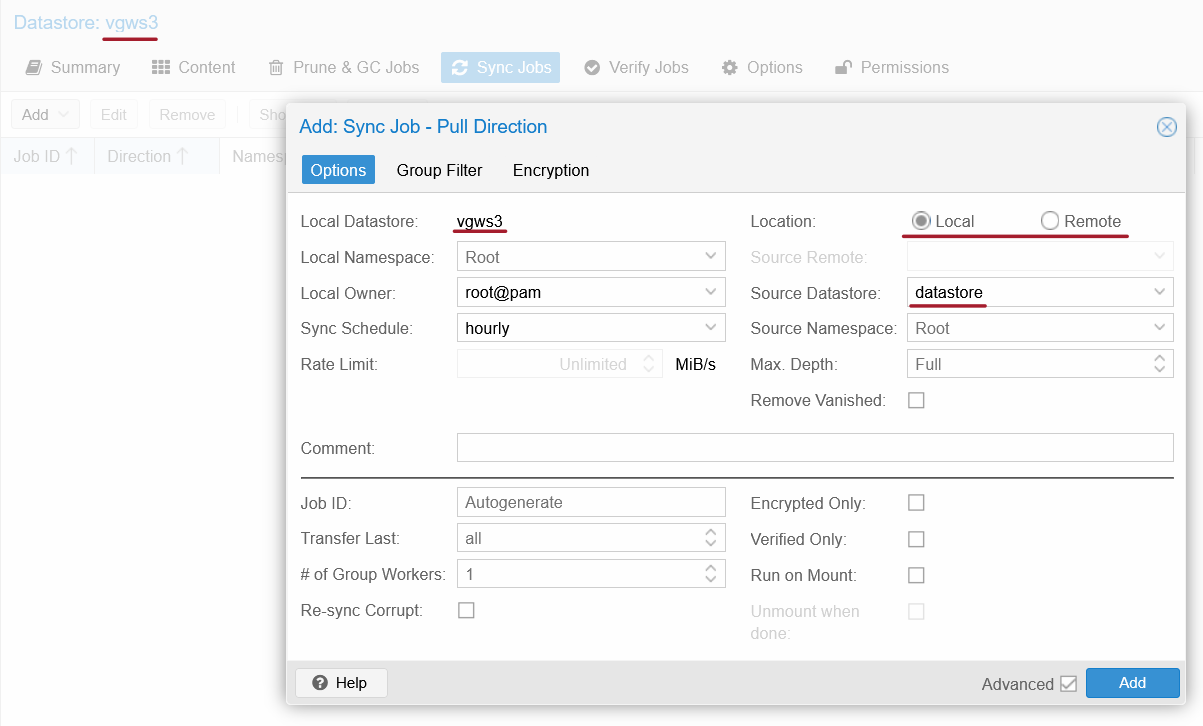
In this screenshot I use the ZFS-backed datastore datastore to replicate to the VGW S3 datastore. Very convenient feature!
I had both the ZFS and S3 datastores on SSDs so I did not notice significant difference in performance, but if you were to have S3 backed by NL-SAS HDDs and a ZFS or XFS datastore on SSDs, you could pull or push older backups from filesystem-backed datastore to S3 and keep only recent ones on SSDs.
Conclusion
PBS 4.2.0 has official support for S3 backup stores. Before, S3 datastores were a technology preview.
E-Series has all-flash, hybrid and NL-SAS models that are all suitable for PBS. As discussed in the first PBS post, ZFS (or other) on E-Series NL-SAS is the simplest and least risky option. If you want to use S3, though, you can. It may be easier for those who backup, or replicate backup data, to remote locations and want to protect backups with S3 Object Lock.
Versity S3 gateway users may want to serve data from a large volume on DDP, especially in NL-SAS environments. A single volume backing VGW can be grown online to hundreds of TBs. StorageGRID SDS users would need more volumes for a more granular storage layout (RTFM). Both Versity Gateway and StorageGRID have versioning and replication to the cloud is possible, making this a potentially easier-to-manage option if replication of backups or backup data is involved.
Appendix A: Backup, verify, restore test
Backup of CT 101 to Versity Gateway S3 backed by E-Series:
INFO: starting new backup job: vzdump 101 --node h3 --storage vgws3 --notification-mode notification-system --mode snapshot --remove 0 --notes-template ''
INFO: Starting Backup of VM 101 (lxc)
INFO: Backup started at 2026-05-09 10:43:57
INFO: status = running
INFO: CT Name: test
INFO: including mount point rootfs ('/') in backup
INFO: mode failure - some volumes do not support snapshots
INFO: trying 'suspend' mode instead
INFO: backup mode: suspend
INFO: ionice priority: 7
INFO: CT Name: test
INFO: including mount point rootfs ('/') in backup
INFO: starting first sync /proc/16952/root/ to /var/tmp/vzdumptmp22289_101
INFO: first sync finished - transferred 558.25M bytes in 3s
INFO: suspending guest
INFO: starting final sync /proc/16952/root/ to /var/tmp/vzdumptmp22289_101
INFO: final sync finished - transferred 0 bytes in 1s
INFO: resuming guest
INFO: guest is online again after 1 seconds
INFO: creating Proxmox Backup Server archive 'ct/101/2026-05-09T15:43:57Z'
INFO: set max number of entries in memory for file-based backups to 1048576
INFO: run: lxc-usernsexec -m u:0:100000:65536 -m g:0:100000:65536 -- /usr/bin/proxmox-backup-client backup --crypt-mode=none pct.conf:/var/tmp/vzdumptmp22289_101/etc/vzdump/pct.conf root.pxar:/var/tmp/vzdumptmp22289_101 --include-dev /var/tmp/vzdumptmp22289_101/. --skip-lost-and-found --exclude=/tmp/?* --exclude=/var/tmp/?* --exclude=/var/run/?*.pid --backup-type ct --backup-id 101 --backup-time 1778341437 --entries-max 1048576 --repository root@pam@10.1.2.3:vgws3
INFO: Starting backup: ct/101/2026-05-09T15:43:57Z
INFO: Client name: h3
INFO: Starting backup protocol: Sat May  9 10:44:01 2026
INFO: No previous manifest available.
INFO: Upload config file '/var/tmp/vzdumptmp22289_101/etc/vzdump/pct.conf' to 'root@pam@10.1.2.3:8007:vgws3' as pct.conf.blob
INFO: Upload directory '/var/tmp/vzdumptmp22289_101' to 'root@pam@10.1.2.3:8007:vgws3' as root.pxar.didx
INFO: root.pxar: had to backup 535.214 MiB of 535.214 MiB (compressed 182.229 MiB) in 3.63 s (average 147.529 MiB/s)
INFO: Uploaded backup catalog (476.523 KiB)
INFO: Duration: 4.07s
INFO: End Time: Sat May  9 10:44:05 2026
INFO: adding notes to backup
INFO: Finished Backup of VM 101 (00:00:09)
INFO: Backup finished at 2026-05-09 10:44:06
INFO: Backup job finished successfully
INFO: notified via target `mail-to-root`
TASK OK
Verify:
2026-05-09T06:45:36-09:00: Starting datastore verify job 'vgws3:v-b9f36788-189c'
2026-05-09T06:45:36-09:00: verify datastore vgws3
2026-05-09T06:45:36-09:00: found 1 groups
2026-05-09T06:45:36-09:00: using 1 read and 4 verify thread(s)
2026-05-09T06:45:36-09:00: verify group vgws3:ct/101 (1 snapshots)
2026-05-09T06:45:36-09:00: verify vgws3:ct/101/2026-05-09T15:43:57Z
2026-05-09T06:45:36-09:00:   check pct.conf.blob
2026-05-09T06:45:36-09:00:   check root.pxar.didx
2026-05-09T06:45:50-09:00:   verified 182.23/535.21 MiB in 14.66 seconds, speed 12.43/36.52 MiB/s (0 errors)
2026-05-09T06:45:50-09:00:   check catalog.pcat1.didx
2026-05-09T06:45:50-09:00:   verified 0.19/0.47 MiB in 0.12 seconds, speed 1.60/3.89 MiB/s (0 errors)
2026-05-09T06:45:50-09:00: percentage done: 100.00% (1/1 snapshots)
2026-05-09T06:45:50-09:00: queued notification (id=cadd0566-9399-4c6e-bdb8-e3f563a92a2b)
2026-05-09T06:45:50-09:00: TASK OK
Restore:
()
recovering backed-up configuration from 'vgws3:backup/ct/101/2026-05-09T15:43:57Z'
  Logical volume "vm-101-disk-0" created.
  Logical volume pve/vm-101-disk-0 changed.
Creating filesystem with 2097152 4k blocks and 524288 inodes
Filesystem UUID: b7583cb3-916c-4f3b-b444-196c3344cac1
Superblock backups stored on blocks:
	32768, 98304, 163840, 229376, 294912, 819200, 884736, 1605632
  Renamed "vm-101-disk-0" to "del-vm-101-disk-0" in volume group "vg_sanmox"
restoring 'vgws3:backup/ct/101/2026-05-09T15:43:57Z' now..
merging backed-up and given configuration..
TASK OK
Appendix B: Configuration and disk space management
My S3 Endpoint in PBS 4.2.0:
root@pbs:~# cat /etc/proxmox-backup/s3.cfg
s3-endpoint: versity
        access-key admin
        endpoint 10.1.2.3
        fingerprint 64:EC:69:99:E9:E6:7F:14:70:CD:E1:BA:94:E3:14:88:3D:78:E6:42:85:C5:61:AB:E2:4E:81:06:B6:B8:6E:AD
        path-style true
        port 7070
        provider-quirks delete-objects-via-delete-object
        region us-east-1
        secret-key kma^2
Local Cache is not shown because the above is S3 Endpoint configuration and local cache is a property of a datastore.
The PBS docs are detailed enough by now, but I want to mention something related to disk capacity monitoring.
- ZFS doesn't make it easy, while XFS and ext4 do
- I added a small datastore (XFS-formatted
/dev/sdc) to compare
root@pbs:~# proxmox-backup-manager disk list
┌──────┬─────────┬─────┬───────────┬─────────────┬───────────────┬─────────┬────────┐
│ name │ used    │ gpt │ disk-type │        size │ model         │ wearout │ status │
╞══════╪═════════╪═════╪═══════════╪═════════════╪═══════════════╪═════════╪════════╡
│ sda  │ lvm     │   1 │ hdd       │ 34359738368 │ QEMU_HARDDISK │       - │ passed │
├──────┼─────────┼─────┼───────────┼─────────────┼───────────────┼─────────┼────────┤
│ sdb  │ zfs     │   1 │ hdd       │ 10737418240 │ QEMU_HARDDISK │       - │ passed │
├──────┼─────────┼─────┼───────────┼─────────────┼───────────────┼─────────┼────────┤
│ sdc  │ mounted │   0 │ hdd       │  2147483648 │ QEMU_HARDDISK │       - │ passed │
└──────┴─────────┴─────┴───────────┴─────────────┴───────────────┴─────────┴────────┘
qm agent 100 get-fsinfo will get me filesystem utilization for all "regular" filesystems including the second, XFS-backed filesystem, but not ZFS (pool). I know there are easy ways to get ZFS pool information out, but considering that PBS data is pre-compressed at source, and deduplication is usually not used, it's an anecdote on how the ZFS stack requires relatively more management compared to regular filesystems.
The XFS entry in get-fsinfo output:
{
  "disk": [
    {
      "bus": 0,
      "bus-type": "scsi",
      "dev": "/dev/sdc",
      "pci-controller": {
        "bus": 1,
        "domain": 0,
        "function": 0,
        "slot": 3
      },
      "serial": "0QEMU_QEMU_HARDDISK_drive-scsi2",
      "target": 0,
      "unit": 2
    }
  ],
  "mountpoint": "/xfs",
  "name": "sdc",
  "total-bytes": 2080374784,
  "total-bytes-privileged": 2080374784,
  "type": "xfs",
  "used-bytes": 109461504
}
If you use XFS or ext4, there's no need to figure out another way.