Forward E-Series SANtricity logs to Victoria Logs syslog receiver
Introduction
EPA 4.0.0 beta 1 has been posted to Github earlier today, and related to the removal of MEL (mentioned in that post) here's another recommended solution for log forwarding and monitoring (the other one being Elasticsearch): Victoria Logs.
E-Series can forward system logs to a syslog destinations compatible with two main RFC formats.
Victoria Logs can accept both, and should anyone be inclined to monitor SANtricity logs in EPA or separately, it's just a matter of setting up Victoria Logs, which is very easy.
Stand up Victoria Logs
Quick one for current version:
curl -L -O https://github.com/VictoriaMetrics/VictoriaLogs/releases/download/v1.50.0/victoria-logs-linux-amd64-v1.50.0.tar.gz
tar xzf victoria-logs-linux-amd64-v1.50.0.tar.gz
./victoria-logs-prod -storageDataPath=victoria-logs-data -syslog.listenAddr.udp=:514
For latest & greatest, RTFM here.
The above starts Victoria Logs with syslog-compatible receiver on port udp/514. If you're not a priviledged user, try udp/1514.
Among other things, the log should show syslog messages are being accepted. I will assume you've opened that firewall port by now.
2026-04-26T14:40:41.279Z info VictoriaLogs/app/vlinsert/syslog/syslog.go:279 started accepting syslog messages at -syslog.listenAddr.udp=":514"
The log will also tell you where to go to access the Web UI.
We can set up many other options, but we're just making syslog forwarding work here.
More on Victoria Logs' handling of syslog can be found here.
You can also forward message from E-Series to a syslog forwarder, and then (or eventually) to Victoria Logs in whatever format you end up sending to Victoria Logs (which supports all the popular ones). I blogged about that approach here back in 2022, so check out that post if you can't send directly from SANtricity controllers to Victoria Logs.
Configure SANtricity log forwarding to syslog destination
Now that Victoria Logs is up and running, it's time to set up syslog forwarding on E-Series.
Configure syslog forwarding in the usual place (Settings > Alerts):
- Add a server (by IP is better than by hostname). Use port 514 unless you use some other
- Send a test alert with "Test all syslog servers"
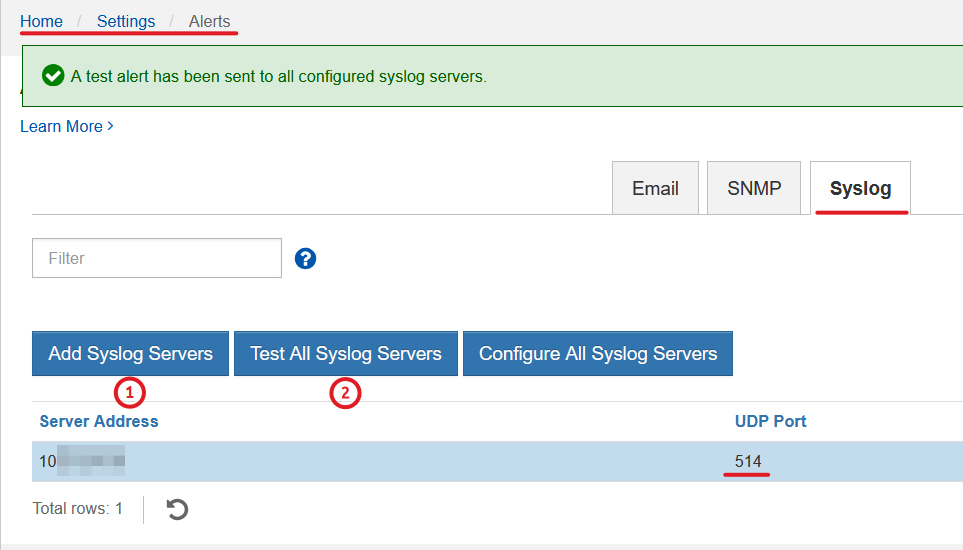
This works the same way in SANtricity 12.00.
Two important points:
- SANtricity uses only UDP
- I used RFC3164 in "Configure All Syslog Servers". Victoria Logs should accept RFC5424 without any changes, but it didn't in my case. RFC3164 worked.
You won't see any syslog messages in your Victoria Logs (unless they're set to debug, perhaps?). Watch in the UI or tail Victoria Logs using their CLI tool.
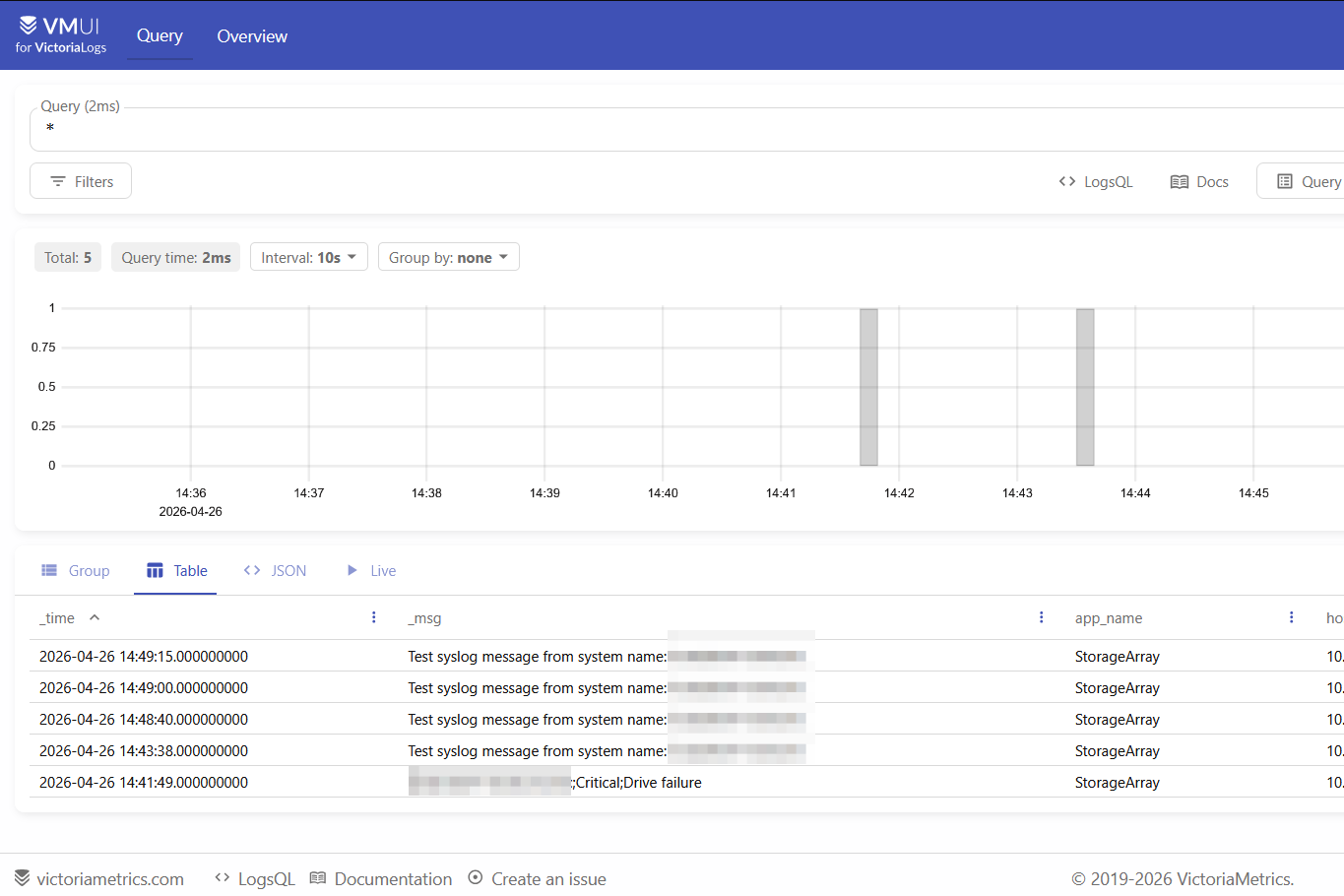
Assuming you're watching Victoria Logs UI, you should see the test alert and whatever other stuff comes your way in it.
I kicked out a disk from a storage pool to get some extra "real life"-like messages.
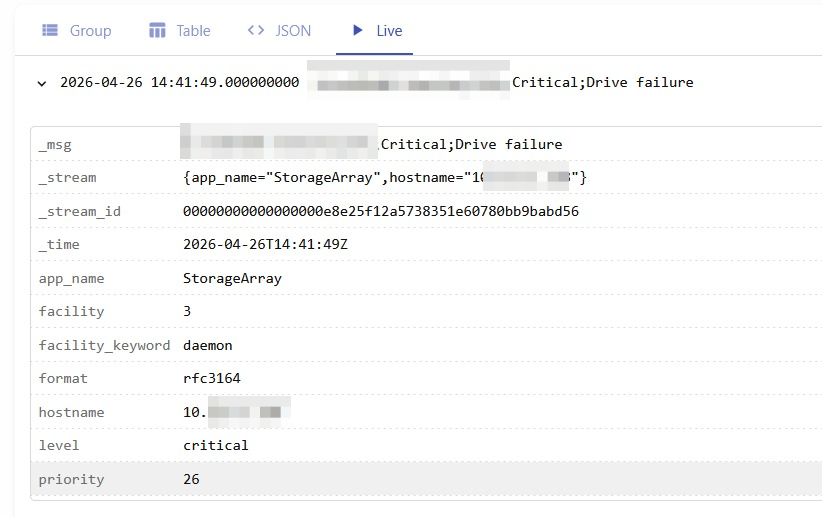
Here's a nicer screenshot with several test alets and one "real" message.
Conclusion
MEL was dropped from EPA 4 because it should have never been there in the first place, but if you like or need to monitor storage logs, use a proper tool.
Victoria Logs is one of the best out there. Due to SANtricity's quirkiness (or bad luck, or network issues), it took me almost 20 minutes to get this to work. So, it's worth starting with the above options to get logs flowing first, and then set up other options including log compression and whatnot.
I also recommend another Victoria product, Victoria Metrics, as a Prometheus-compatible scraper for EPA metrics, which is why I included it in EPA reference stack. If you add Victoria Log metrics to EPA Compose, you can have complete log monitoring in less RAM than MEL processing required (seriously - Victoria Logs needs less RAM than MEL log processing alone required in EPA 3). You'll also save disk space and have a proper tool for log monitoring.