Helpful waste of time
Introduction
When dealing with input that consists of unweildy TLS certificates Postman can helpfully hint at potential JSON validity problems and save you time. I'm sure some other tools are like that as well.

With such help, instead of trying like an idiot you can fix your inputs before that, get things done and have a nice rest of the day.
All right, let's try to remove all line breaks until Postman stops hinting.
After having removed 10 lines, I start thinking "oh man, this is slow! Let's automate!"
Try sed, get stuck, Google it, done!
Back to Postman. No hints. Send. Yikes!!! Invalid cert!
Aha! Back to checking if my cert is in the right format. DER. PEM, etc. What a hassle!
All right, the certs are fine as I had thought. I see - I should replace line breaks with \n's, says a helpful Stack Overflow answer.
More sed. Done! Damn, it still doesn't work!
Let's recheck those certs…
Eventually I got desperate and tried to work by my own notes from Github which led me to believe I should simply paste that junk as-is and hit Send. It worked.
I don't blame Postman, those visual hints probably saved me more than 30 minutes over the years.
But why things have to be so complicated?
Update 1 (2023/08/30)
To save you time:
- Line breaks must remain at the end of the header and before the footer row.
\nin green circles must be left in place. The last\nat the very end is optional so I haven't marked it with a circle; it's the end of certificate itself. - Line breaks must be removed from certificate's content (all breaks in red rectangle).
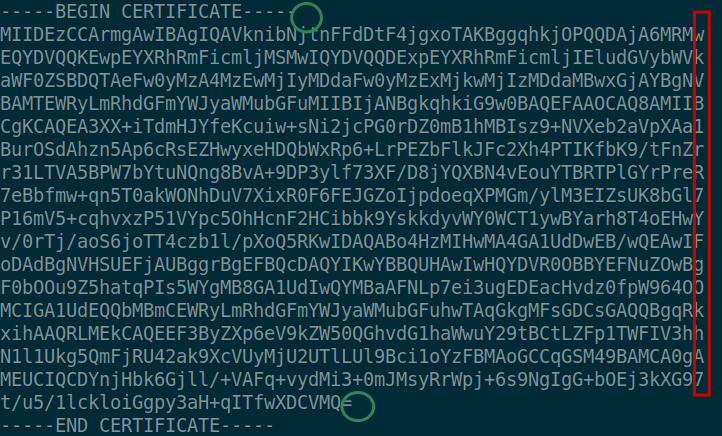
Now as we submit JSON-RPC request, \ns would be visible like here.
    "params": {
    	"certificate": "-----BEGIN CERTIFICATE-----\nMIIDEzC....
        ...VMQ=\n-----END CERTIFICATE-----\n"
        ...
    }
Update 2 (2025/05/03)
I hit this crap again… Even as I found this post, I still failed several times because I didn't notice the green circles in the screenshot above!
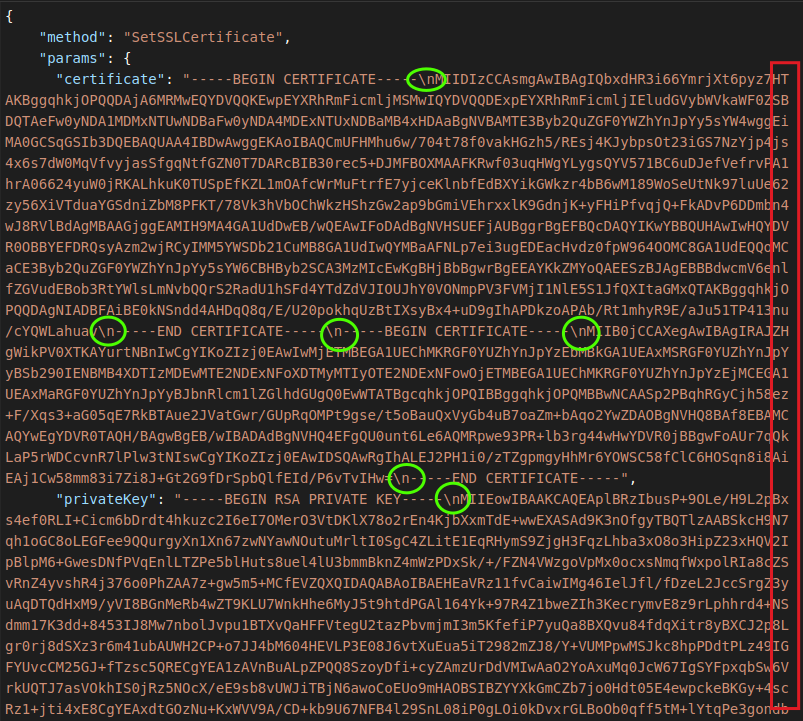
So, when uploading two-part TLS certificates to NetApp SolidFire using JSON, use RSA private keys (others won't be accepted) and remove/add line breaks as per below:
- Insert a
\nwhere you'd "expect" end of line in a proper text editor (meaning in the rows that end with------(green)) - Remove line breaks inside of certificate content itself (red) to make that gibberish flows end to end. The flow of gibberish must go until the end so that it's wrapped by Postman, not manually by you
tldr; your Postman pane should look like this:
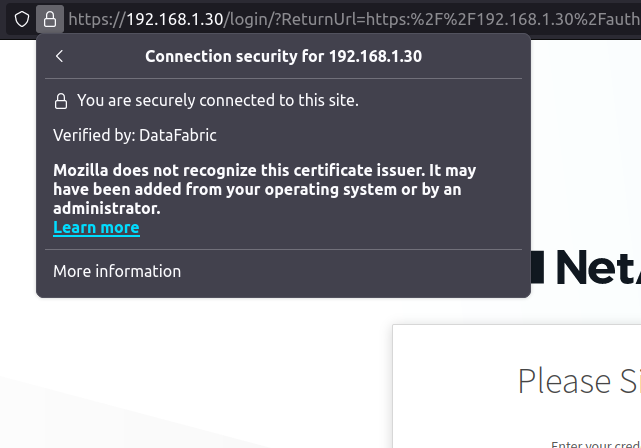
Then you may connect securely using FQDN, hostname (or IP if your cert has an IP alias).
Update 3 (2025/06/07)
Not again!!!
This is truly a gift that never stops giving…
It also pisses me off that there's no official script.
They'd rather write 5 different "KB" articles than create a script that works and doesn't need to be "read" except for online help such as:
PS> .\update-SolidFire-Tls-Certificate.ps1 -mvip 192.168.1.34 \
  -username admin \
  -password 'l3tZGoBraNd0n!' \
  -certificateFile C:\Users\Administrator\Downloads\sf.crt \
  -privateKeyFile C:\Users\Administrator\Downloads\sf.key
I had to break it into several lines for easier viewing, but yeah - that's all you need to read if there's a script.
And it appears to work. PowerShell 5.1 only, sorry!
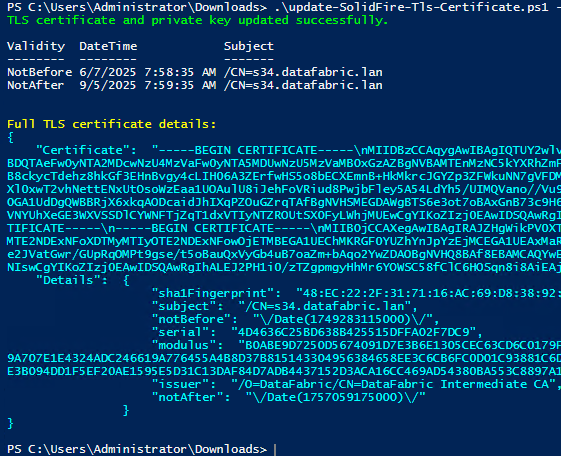
The script can be found here.
FAQs
Q: How come you hit this twice in just two months? Do you update your certs every month?
A: No, I have 2 SolidFire "clusters" :-)