Manage SolidFire from Jupyter Python or .NET notebooks
NOTICE: any and all credentials and tokens on this page are samples, not leaked.
Introduction
SolidFire can be managed interactively from both Jupyter (using Python SDK) and .NET (using SolidFire PowerShell module) notebooks.
Not everything needs to be interactively managed, but NetApp has the DataOps Toolkit and while unstructured data (NFS, SMB, S3) are used in analytics while block storage not that much, for what it's worth you can easily manage on-demand cloning operations (for inferencing, or database development), large backups, replication and such.
I blogged about these cases (and other ways to solve such requirements) so I'll just paste some screenshots from this example Python notebook to give you an idea.
This particular notebook loads PowerShell (.NET, actually) core, but it'd work the same with Python 3 core (and SolidFire Python SDK).
System that runs the notebook must be able to connect to SolidFire Management VIP (MVIP). If your client cannot, you can run this notebook in a container on your management network that can reach SolidFire MVIP.
Interactive use of SolidFire PowerShell or Python SDK
Once you install and load SolidFire module, you can run all its cmdlets.
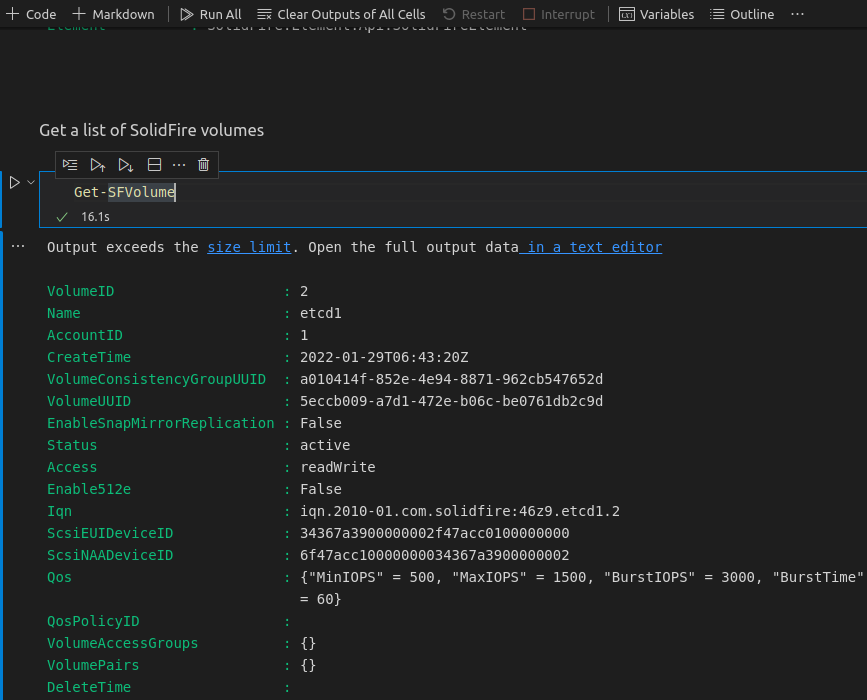
Sample script for SolidFire capacity reporting
I took the source of this reporting script from a colleague.
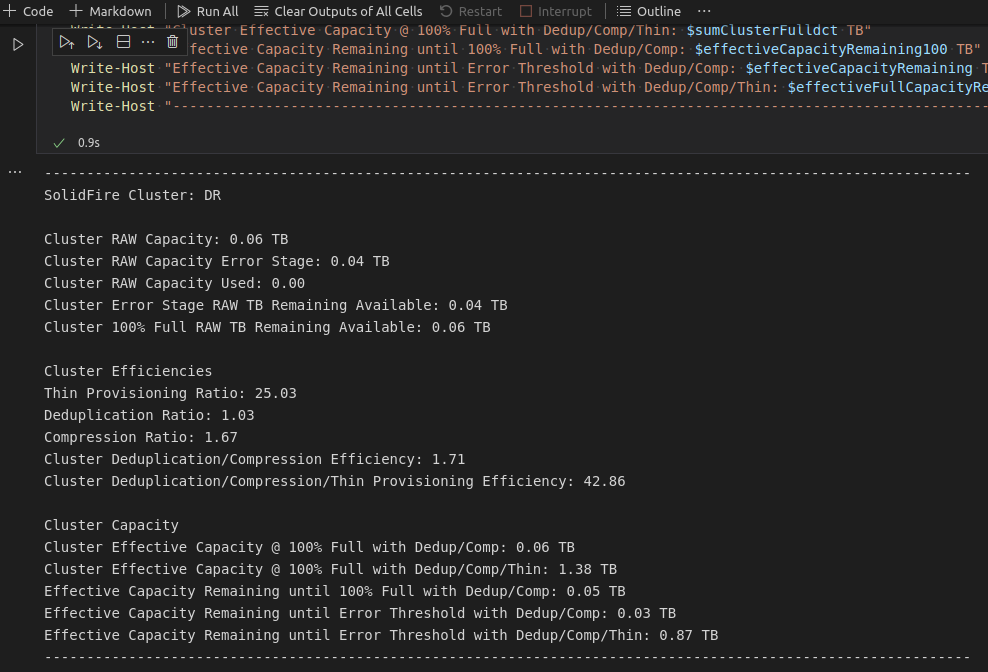
We could visualize the output in nice tables and charts (capacity, performance, etc.), but I don't have time to work on that right now. See this follow up post for a sample that visualizes this capacity & efficiency report.
Run data-intensive jobs and check their status
On-demand snapshot-and-clone operations, backup to cloud, etc. can work too.
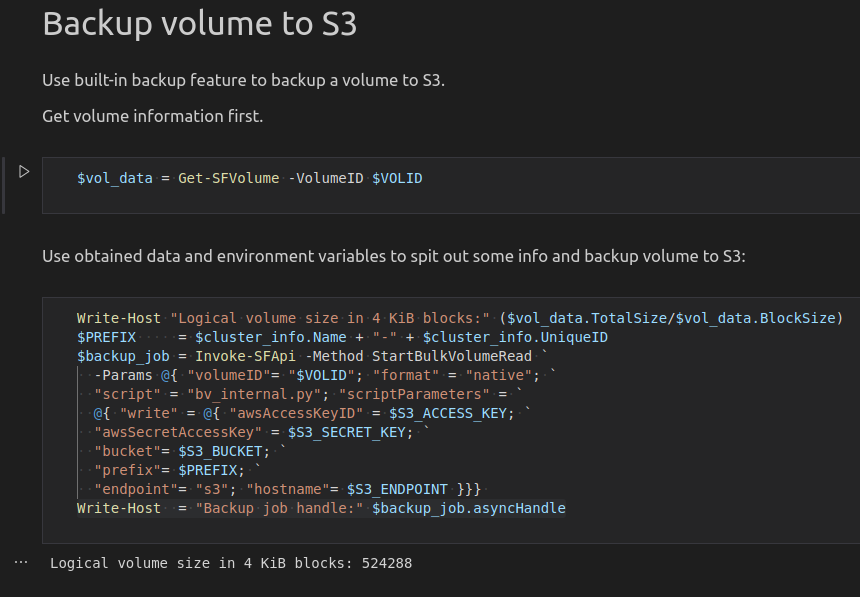
If you got the variables right and all components work as expected, you should see a backup job initiated on the cluster.

For more on SolidFire's built-in backup to S3 feature including how to automate it from Python, see this post.
Summary
If running interactive operations in this context can help you, you can roll your own NetApp DataOps Toolkit-like notebook for SolidFire using PowerShell. Install and load other modules to make more complex integrations (PowerCLI, etc.).
NetApp DataOps Toolkit (Python) users could install solidfire-sdk-python to a notebook running DataOps Toolkit and take advantage of DOT's features. One feature from a new DOT release that I highlighted here is copy to/from S3 bucket. One example where this could be useful is to copy data from S3 to a volume, then clone the volume and assign it to a number of storage tenants (students, developers, static Web sites, etc.).
If you'd like to experiment with this approach, get this notebook here.