Maximum parallelization of SolidFire Backup and Volume Copy/Clone jobs
SolidFire can backup volumes to S3-compatible Object Storage. How to do it in parallel, I wrote about here.
Volume cloning and copying is a similar type of background job, and those can also be executed in parallel. We get to use this in automation, for example when you need to clone a volume 100 times, or perhaps start with three "template" volumes (Windows, Ubuntu, Red Hat) and make 32 copies of each. I use volume copying in SolidBackup scripts.
What's common to both is there's the maximum number of jobs that can be scheduled on a SolidFire storage node at the same time (you can find the limits in the SolidFire Release Notes or with the API (with PowerShell, they get displayed immediately after you connect to the cluster).
If that number is 8, if there's 8 jobs running and you attempt to schedule another job that lands on that node, that job will immediately fail. It's not a big deal - jobs can be resubmitted - but you unnecessarily consume API resources, pollute your SolidFire logs, have to handle job failures in your scripts, and still prevent anyone else from submitting their jobs while you occupy all the job slots available.
As we saw in the linked posts, we can deal with this by parallelizing job submission to a "safe" per-cluster level (say, 16 jobs on a 4-node cluster) that makes it unlikely that we'd hit "node queue full" errors and have to retry if any single node hits the job limit.
A script that does that for Backup can be found in my Awesome SolidFire repo on Github.
Maximizing volume backup and clone jobs-per-node
An even better way would be to queue up to desired number of jobs per node, so that we can say "dispatch up to 7 jobs per node" so that we run the node at a high utilization, but still have one empty slot available for on-demand activities.
Trouble is, there's no API method to help you do that. Or even to easily find out where the jobs are running in the first place. Indirectly that is possible, but it's also quite complicated. I tried the indirect way and realized it would have taken me weeks of tinkering, with the poor scripting skills I have.
In the end I had to find a shortcut which came in the form of a non-public API method, GetReport, which lets us indirectly obtain a volume's location and tell us which SolidFire storage node hosts it.
This (being a non-public API method) can change in the next release, it may stop working etc., and it seems resource-intensive, so I run it just once, at the very beginning. If I had many jobs that run around the clock, I would run it every 60 minutes to get updates in the case SolidFire rebalances volumes. (A smarter way would be to watch the event log and only run it if/when such a rebalancing happens.)
Note that there are two separate limits - they happen to be 8 per node, but the way to query them is different - for bulk (backup) and volume (clone, copy) jobs. But that's just an implementation detail.
So far I've used GetReports to improve SolidFire Backup to S3 which, as explained above, has a "concurrent backup jobs per cluster" setting. I may add this approach to SolidSync (from SolidBackup) later, to apply it to volume copy jobs as well.
Findings
So, is this approach much better?
Well, it's not that different. I kick off a bunch of jobs and instead of watching a "global" maximum, now I watch each node's queue and schedule new jobs only when there are jobs for that node, and if the node's queue is less full than the per-node limit I set in the script (e.g., 7).
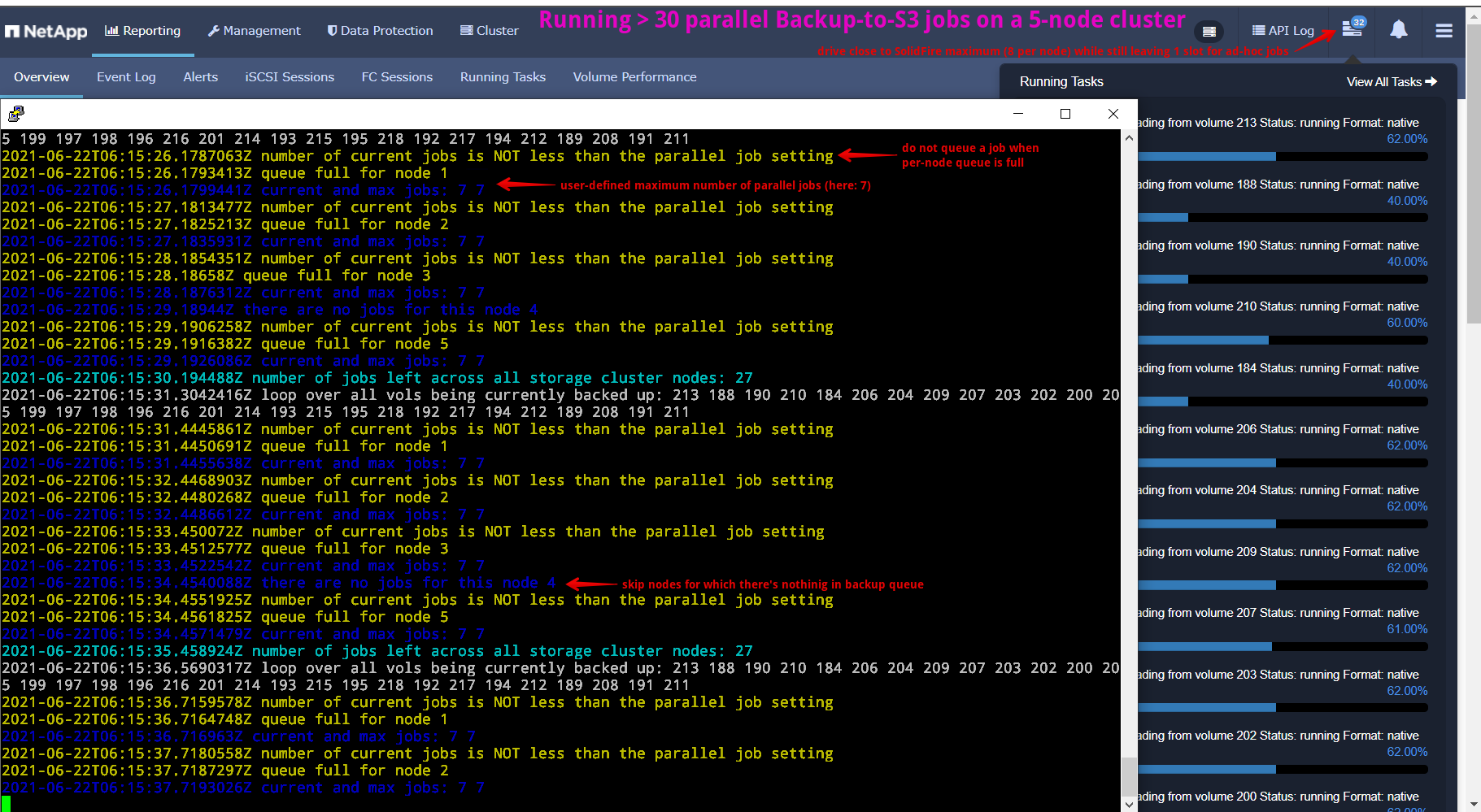
Whereas I used to run 20 parallel backup jobs on a 5 node cluster (that level seemed "safe"), here I can safely and easily hit 35 (5 nodes x 7 jobs per node) when I have enough volumes to fill all the nodes' queues.
SolidFire schedules volume placement based on a number of factors (not just "volumes per storage node"), so in the screenshot above you can see that despite a fairly large number of volumes (50-ish), I could not fill all the queues - at most I got 32 backup jobs running in parallel.
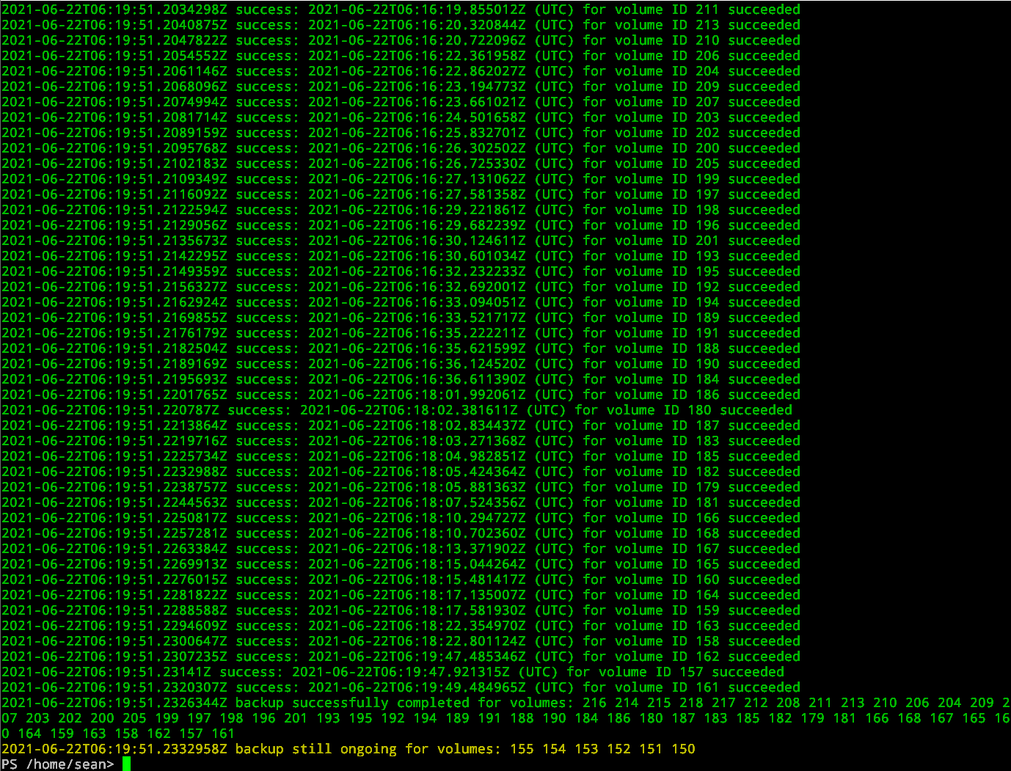
Once no jobs are left in the script's queue, it scans SolidFire Events for bulk job (i.e., backup) events and outputs a simple report. Because backup jobs can run for hours, it doesn't attempt to wait it out - users are advised to watch SolidFire Events from Elastic, Splunk, etc.
Conclusion
32 vs. 20 jobs is still a nice improvement which eliminates the risk of failed jobs and still leaves a free slot per each storage node for on-demand backup and restore jobs. If you know your environment you can set parallelism to 8-per-node and run up to 40 jobs in parallel (5 nodes x 8 jobs), effectively doubling the number of jobs compared to the earlier approach.
If you also incorporate QoS pre-post adjustments for each volume before and after backup to S3 (I wrote a script for that, too), you should be able to read SolidFire at > 1GB/s. Unfortunately, the upload performance of Backup to S3 is slow, but we can't optimize that with a script (I think SolidBackup should be used by those who wish to improve that).
Backup jobs take longer to run, but clone jobs run faster and cutting a 10 minute mass cloning job down to less than 6 minutes would be nice, especially if your build job (or whatever you do after that) takes 15-20 minutes to complete - you could run up to 20% more build jobs per day.
Demo
I demonstrated how Backup to S3 works in previous posts on this topic, so this one is very short and focuses on the difference in this approach vs the earlier parallel-jobs-per-cluster approach.